If your Your Fare integration keeps dropping orders in the middle of a rush, you already know what you’re looking for. Not a workaround. A replacement.
When the connection between your delivery apps and your point-of-sale breaks, the work doesn’t disappear. It lands back on your staff. Someone has to watch the tablets, re-key every order by hand, and hope nothing slips through. That’s the exact problem an integration was supposed to take off your plate in the first place.
So if you’re weighing a Your Fare restaurant integration alternative, this guide walks through what matters when you compare providers. Learn how the main options stack up, and how to switch without losing a single order during the handoff.
The short version: The fix for a Your Fare integration that keeps dropping orders is one that stays up and pulls every app into one place. Orders.co works with the POS you already run or installs its own, consolidates DoorDash, Uber Eats, and Grubhub onto a single dashboard. We also back the switch with hands-on onboarding and 24/7 support, so you can cut over without missing an order.
Why operators start shopping for a Your Fare alternative
A few years ago, getting listed on the delivery apps was enough. The apps sent you customers you’d never have reached on your own, and you took the orders however they came in.
Then the volume caught up with everyone. You can have DoorDash, Uber Eats, and Grubhub all ringing at once, each on its own tablet, each order re-keyed into the POS by hand. The apps are still doing their job as a discovery channel. The bottleneck is what happens after the order comes in.
Learning how to automate restaurant delivery orders stopped being a nice-to-have and became part of running the line. The idea is simple: get the order from the customer’s phone to the kitchen without anyone re-keying it into a second system. When that works, three things happen at once:
- Fewer mistakes. No missed modifiers, no dropped allergy notes, no “no onions” that somehow became onions.
- Faster tickets. The order hits the kitchen the moment it’s placed, so food is ready when the driver arrives.
- Freed-up staff. The person who was retyping orders can go back to packing bags correctly or looking after your dine-in guests.
None of that holds if the integration itself is unreliable. Most operators who decide to switch from Your Fare aren’t chasing new features. They’re after a connection that stays up, menu tools that don’t fight them, and support that answers when something breaks at 7 p.m. on a Saturday.
What order automation actually saves you
It helps to put a number on it. In a setup without automation, every delivery order is a small chore: a staff member walks to the tablet, acknowledges the order, turns to the POS, enters the items, double-checks the modifiers, and sends it to the kitchen. Call it one to three minutes per order once you count the walking and the double-checking.
Now run 50 orders through that on a Friday. You’ve spent close to two hours of paid labor on data entry alone, and you’ve added 50 chances to fumble a ticket.
Sending orders straight to the kitchen removes both the labor and the error. A request for “no pickles, sauce on the side” arrives exactly as the customer typed it, which cuts the refunds and remakes that eat your margin on delivery. And with wages where they are, paying someone to retype orders all night is a hard cost to justify when the same hour could go toward quality control or hospitality.
That’s the real return on getting this right: not just speed, but where your labor ends up going.
What to look for in a Your Fare alternative
When you’re comparing a restaurant delivery integration alternative, don’t settle for a sideways move to another system that does the same thing with a different logo. Here’s what’s worth holding out for.
Order flow that lands where you need it
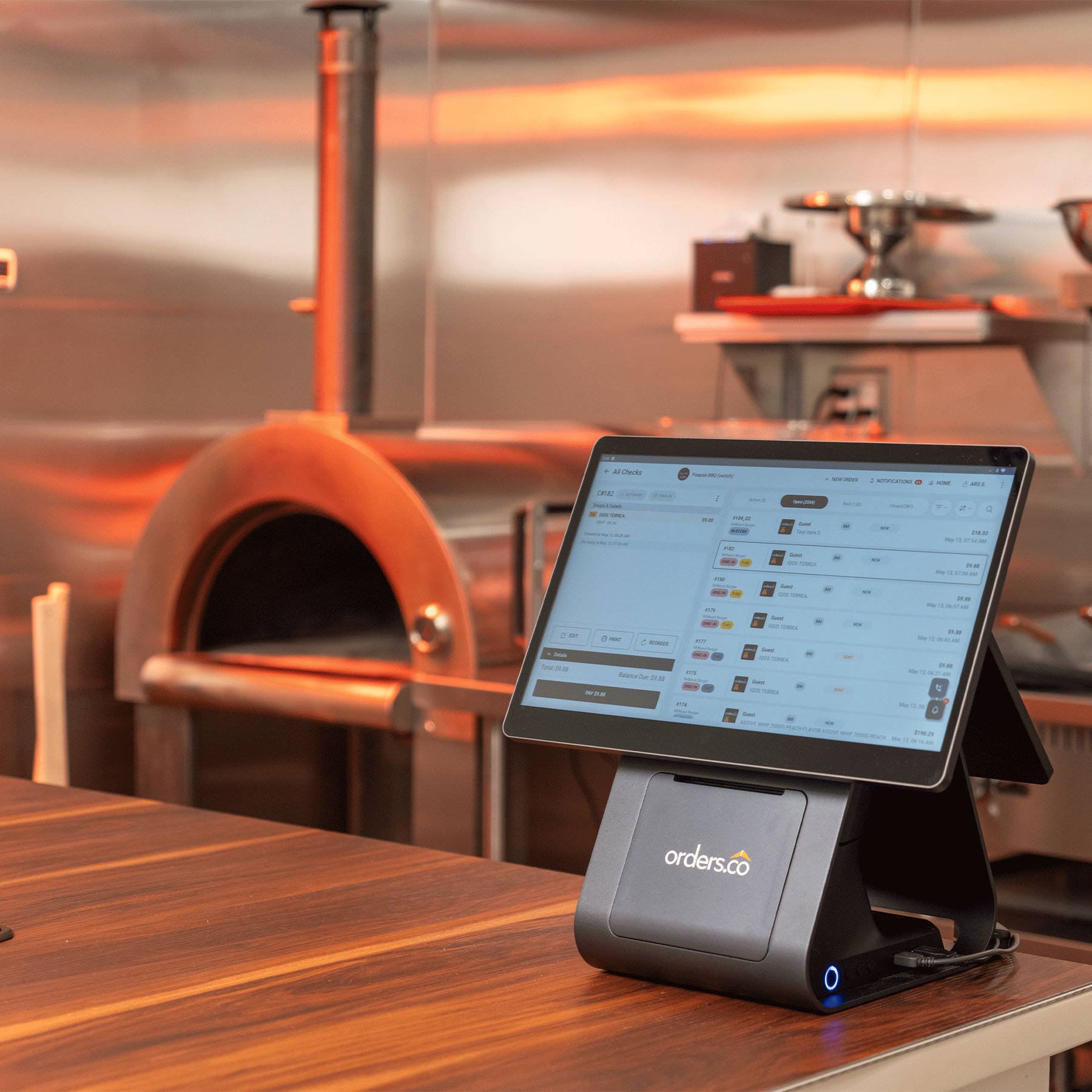
The whole point is syncing third-party delivery orders to your system so they show up cleanly, every time, without a person in the middle. How a provider does this should bend to your setup, not the other way around. Orders.co works both ways: it can plug into the supported POS you already run or set you up on its own, then consolidate DoorDash, Uber Eats, and Grubhub onto one dashboard so the wall of tablets becomes a single workflow your staff can actually keep up with.
Menu management you can trust
The most tedious part of running multiple apps is keeping the menus straight. Run out of avocado, and you need to remove it everywhere before the canceled orders and one-star reviews start. Look for real-time menu sync across platforms so you can change a price, add a special, or mark an item out of stock once and see it update on all the apps within seconds. Orders.co’s menu management is built for exactly this: one edit pushes across your connected platforms, so a removed item stops selling everywhere at once instead of one portal at a time.
One place to see the numbers
You shouldn’t have to log into four merchant portals to figure out how your week went. Consolidated reporting for your delivery channels puts sales and top items in a single view, so you can tell which platform is pulling its weight. Because Orders.co already brings every app into one dashboard, that reporting sits alongside your orders, not in a separate tool you have to remember to open.
Onboarding and support that show up
Switching systems is where a good partner earns their keep. You want a real person to map your items to each app, check your modifiers and tax rates, and stay reachable after go-live, because kitchen problems don’t wait for business hours. That’s the thinking behind Orders.co’s approach: hands-on onboarding with someone on the line for your cutover, backed by 24/7 support, so there’s a real person to reach on nights and weekends, not only during business hours.
That switch is easier to trust when you hear it from an operator who’s made it:
“I have worked with integrations and POS systems before, and none of them have come close to the level of service and performance that Orders.co delivers. What stood out immediately was how much the whole system freed us up to actually focus on our customers.”
— Spartan’s Grill
Your Fare vs Orders.co: how they compare
If the reason you’re leaving Your Fare is reliability and the sense that you’re managing the apps instead of your restaurant, here’s how a switch to Orders.co looks side by side.
| What you’re comparing | Your Fare | Orders.co |
| Reliability during a rush | Outages and dropped injections are among the most common reasons operators start looking to switch | Built to keep every delivery order flowing into one place, with a manual fallback that stays visible so nothing goes missing |
| Where your orders land | When the connection drops, orders fall back to separate app tablets for your staff to catch up | Works with the POS you already run or its own, then consolidates DoorDash, Uber Eats, and Grubhub into one dashboard, so a wall of tablets becomes a single workflow |
| Menu updates across apps | Varies by setup | Change a price or remove an item once and push it across your connected platforms in seconds |
| Reporting | Often app-by-app or a limited combined view | One view of sales and top items across your delivery channels |
| Reducing your reliance on the apps | Focused on moving orders between the apps and your POS | Adds your own commission-free direct ordering channel, so you keep more of every order you already own |
| Onboarding and support | Confirm current coverage | Hands-on menu mapping, a real person on the line for your cutover, and 24/7 support after go-live |
The point isn’t that the apps are the enemy. They’re still a good way for new customers to find you. The difference is what happens after the order comes in: with Your Fare, a broken connection puts the work back on your staff; with Orders.co, every app lands in one place, and you’re building a direct channel that doesn’t hand a cut to a marketplace.
How to switch without disrupting orders
The fear that keeps operators on a system they’ve outgrown is downtime. A lost weekend of delivery orders stings. The good news is that a switch is only risky if you rush it. Do it in order, and you can move providers without missing a ticket.
1. Clean up your menu and POS first
Your new integration pulls straight from your POS, so a messy POS becomes a messy online menu. Before you sign anything, clear out dead items, fix outdated pricing, tidy your modifier groups, and make sure every PLU and SKU is assigned correctly. This is the least glamorous step and the one that prevents the most go-live headaches.
2. Pick your new partner against your real pain
Choose based on the priorities above, matched to your actual POS and the apps you lean on most. A provider that’s perfect for a ghost kitchen may be overkill for a single-location diner, and vice versa.
3. Map everything in a sandbox before you disconnect anything
Don’t turn off your old system to build the new one. Your new provider will pull your POS menu and map it to each app, linking your “Cheeseburger” to the app’s “Cheeseburger” so the systems agree. Review that mapping line by line: items, modifiers, tax rates, pricing. This is where errors hide.
4. Schedule the cutover for your slowest hour
Timing is everything, so never switch on a Friday night. Pick your quietest window, usually a Monday or Tuesday morning, before you open, to flip from the old system to the new one.
5. Run live test orders before you trust it
On cutover morning, get your onboarding specialist on the phone with you. Disconnect the old integration in each merchant portal, authorize the new one, and place a real test order on each app. Confirm it comes through on your dashboard, prints in the kitchen or lands on your KDS, carries the right price and tax, and closes out cleanly in your reporting. If a test fails, fall back to manual entry while support fixes the mapping, so a real customer order never goes missing.
6. Walk your staff through the new flow
Automation means less typing, not less to know. Show your team how to pause orders when the kitchen is slammed, handle refunds and cancellations, and read new tickets. The system only works as well as the people using it.
The bottom line
Staying on an integration that drops orders or leaves you stranded during outages costs more than it feels like in the moment: lost revenue, wasted labor, and reviews you didn’t earn. Switching sounds scarier than it is. Clean up your menu, pick a partner that fits your real pain, map carefully, cut over on a slow morning, and test before you trust it. Do that, and your team gets to go back to the work that actually fills your dining room.
FAQ: Your Fare alternatives and migration
A Your Fare restaurant integration alternative is another provider that connects your delivery apps and ordering channels to your restaurant’s system, so orders flow to the kitchen automatically instead of being retyped on tablets. Depending on the provider, that can mean injecting orders directly into your existing POS or consolidating every app into a single dashboard.
Not usually, but it depends on how your setup is configured. In most cases, orders still land on each delivery app’s merchant tablet or portal, but the automated handoff to your POS can fail. The practical risk is that no one is watching those tablets because you rely on the integration, so keep a manual fallback ready until the connection is restored.
First, confirm the delivery apps are still accepting orders, then switch to manual tablet entry so you don’t miss tickets. Next, check your internet, your POS status, and any alerts from your integration provider. If the kitchen is getting overwhelmed while you sort it out, pause orders temporarily to protect your ticket times rather than letting a backlog build.
Ask for a current POS compatibility list and confirm your exact POS, your version, and your setup, whether that’s a single store or an enterprise account. Then be specific about what you need: direct order injection, menu sync, or both. Orders.co is flexible here, since it can work with the POS you already run or install its own, but you should still verify the fit against your real system.
Yes. Most migrations can be done with a planned cutover and live test orders during your slowest hours, with no gap in service. With Orders.co, an onboarding specialist maps your menu ahead of time and stays on the line for the cutover, so you can keep taking orders on your current setup until the new connection is verified end-to-end. Don’t disconnect the old system to build the new one.
It depends on your POS, how complex your menu is, and how many locations you run. Many single-location restaurants can complete onboarding in a few days to a couple of weeks, and Orders.co handles the menu mapping for you rather than leaving you to build it. Multi-location groups with intricate modifiers and tax setups should plan for longer, since every location’s mapping needs to be checked before go-live.
It can. If your new provider syncs menus from your POS or serves as the source of truth, you may see updates to item names, modifier structures, availability, and pricing across the apps. With Orders.co, menu management pushes one change across your connected platforms, and your onboarding specialist reviews the mapping with you before go-live, so nothing changes on DoorDash, Uber Eats, or Grubhub that you didn’t intend.
The biggest risk is incomplete mapping, where an item, modifier, or tax rate isn’t linked correctly, and orders fail or print wrong. Orders.co lowers that risk by mapping and testing every channel with you before cutover, and its 24/7 support means someone is reachable if something slips during your first service. Still, run a test order on every channel, check that the ticket totals match, and keep a manual fallback ready. Test first, trust second.
Often not. Many integrations, Orders.co included, work with your existing POS and network, and Orders.co can also set you up on its own system if you’d rather start fresh. Some operators add a backup internet connection or adjust their kitchen printer or KDS setup for extra reliability, but that’s an upgrade you choose, not a requirement to get started.