


- Quick Answer: What Should a Pizza POS System Do?
- What Is a Point-of-Sale (POS) System?
- Why Do Pizza Shops Need a Different Kind of POS ?
- Delivery Management: Stop Running Your Pizza Shop From Tablets
- Menu Modifiers: The Pizza POS Feature You Cannot Ignore
- Speed: Your POS Should Help the Line Move
- Loyalty: Pizza Shops Should Not Have to “Re-Buy” the Same Customer
- Direct Online Ordering: Keep More of the Orders You Already Earned
- Reporting: Know Which Orders Actually Make Money
- What About Toast, Square, Clover, and Other Pizza POS Systems?
- Real-World Example: The Two-Location Pizza Shop
- Where Orders.co Fits Naturally
- Buyer Checklist: How to Choose the Best POS System for Your Pizza Shop
- Common Mistakes Pizza Shops Make When Choosing a POS
- FAQ: Best POS System for Pizza Shops
Friday night at a pizza shop is not a normal restaurant busy. It is its own kind of storm.
The phone is ringing. A family at the counter wants two large pies, one half pepperoni and half mushroom, one gluten-free with light cheese. DoorDash is pinging. Uber Eats is waiting. A driver is asking where order #184 is. Someone just called to ask whether the buffalo chicken pizza can be made without onions. The oven is full. The cashier is new. And your manager is jumping between the POS, delivery tablets, the printer, and the kitchen.
That is why the best POS system for pizza shops cannot just “take payments.” It has to keep your shop moving.
Pizza is fast, customizable, delivery-heavy, and repeat-driven. A generic POS may work when orders are simple, but pizza orders are rarely simple. You need a system that handles delivery, pickup, walk-ins, menu modifiers, half-and-half toppings, loyalty, direct online ordering, kitchen routing, and reporting without forcing your staff to babysit five different screens.
And the stakes are bigger than convenience. Off-premises dining now makes up nearly 75% of all restaurant traffic, according to the National Restaurant Association, meaning takeout, delivery, and drive-thru are no longer “extra” channels; they are core business. Pizza shops feel this more than most because delivery and carryout have always been part of the model.
So, what is the best POS system for pizza shops?
The best pizza POS is one that helps you take orders faster, send accurate tickets to the kitchen, keep menus consistent everywhere, manage delivery without tablet chaos, and bring customers back through loyalty and direct ordering. For independent and growing pizzerias, that means choosing a connected POS system instead of another tool that adds more work.
Quick Answer: What Should a Pizza POS System Do?
A strong pizza shop POS should help you:
| Pizza Shop Need | What the POS Should Do |
| Delivery orders | Pull third-party, direct, and phone orders into one workflow |
| Menu modifiers | Handle toppings, half-and-half pies, crust types, combos, substitutions, and special notes |
| Speed | Send tickets quickly to the right kitchen station, printer, or KDS |
| Online ordering | Let customers order directly from your website or app |
| Loyalty | Reward regulars and encourage repeat orders |
| Menu updates | Change pricing, availability, and descriptions in one place |
| Reporting | Show which channels, menu items, and promotions actually make money |
| Multi-location control | Keep menus and reporting consistent across stores |

What Is a Point-of-Sale (POS) System?
A Point-of-Sale (POS) system is the combination of hardware and software that allows a business to accept payments and manage sales. For a restaurant, it’s the central hub for everything from taking an order to tracking inventory and analyzing sales data. Think of it as the modern-day cash register, supercharged with tools to run your entire operation. A typical system includes both physical hardware and the software that runs on it.
Key Hardware Components
While software is the brain, hardware provides the muscle. Most pizza shop POS systems use a combination of these components:ination of these components:
Barcode Scanner: Useful for quickly ringing up pre-packaged items, such as drinks or desserts.
Terminal/Monitor: The main screen for ringing up orders. Modern options are often touchscreens.
Card Reader: Allows you to securely accept credit and debit card payments, including tap-to-pay.
Cash Drawer: A secure drawer for storing cash, which automatically opens when a cash sale is completed.
Receipt Printer: Prints paper receipts for customers and kitchen order tickets.
Why Do Pizza Shops Need a Different Kind of POS?
One customer wants a thin crust. Another wants extra cheese. Another wants no sauce. Another wants half sausage, half peppers. A lunch customer wants two slices and a soda. A family wants a bundle deal. A school wants 20 pies for pickup tomorrow. A delivery customer wants contactless drop-off and paid online.
If your POS cannot handle those details cleanly, your staff starts creating workarounds. They type notes manually. They yell in the kitchen. They write on boxes. They call customers back. They re-enter delivery orders from tablets. That is when mistakes happen.
And usually, the problem is not your staff. It is the system.
Your POS should reduce steps, not add them. It should help a new cashier build a complicated pizza order without guessing. It should help the kitchen understand exactly what goes on each pizza. It should help the owner see whether direct orders, delivery apps, or walk-ins are actually profitable.
That is why pizza operators should look for a POS that is built around speed, customization, and connected ordering.
Delivery Management: Stop Running Your Pizza Shop From Tablets
Delivery apps can bring in new customers, but they can also turn the front counter into a control room.
A common setup looks like this:
One tablet for DoorDash.
One tablet for Uber Eats.
One tablet for Grubhub.
One POS terminal.
One phone.
One printer that never seems to stop.
Every separate screen creates a chance for something to go wrong. Staff can miss an order, accept it late, forget to enter it into the POS, or send the wrong ticket to the kitchen. During a rush, even one missed order can mean a refund, a bad review, or a customer who never comes back.
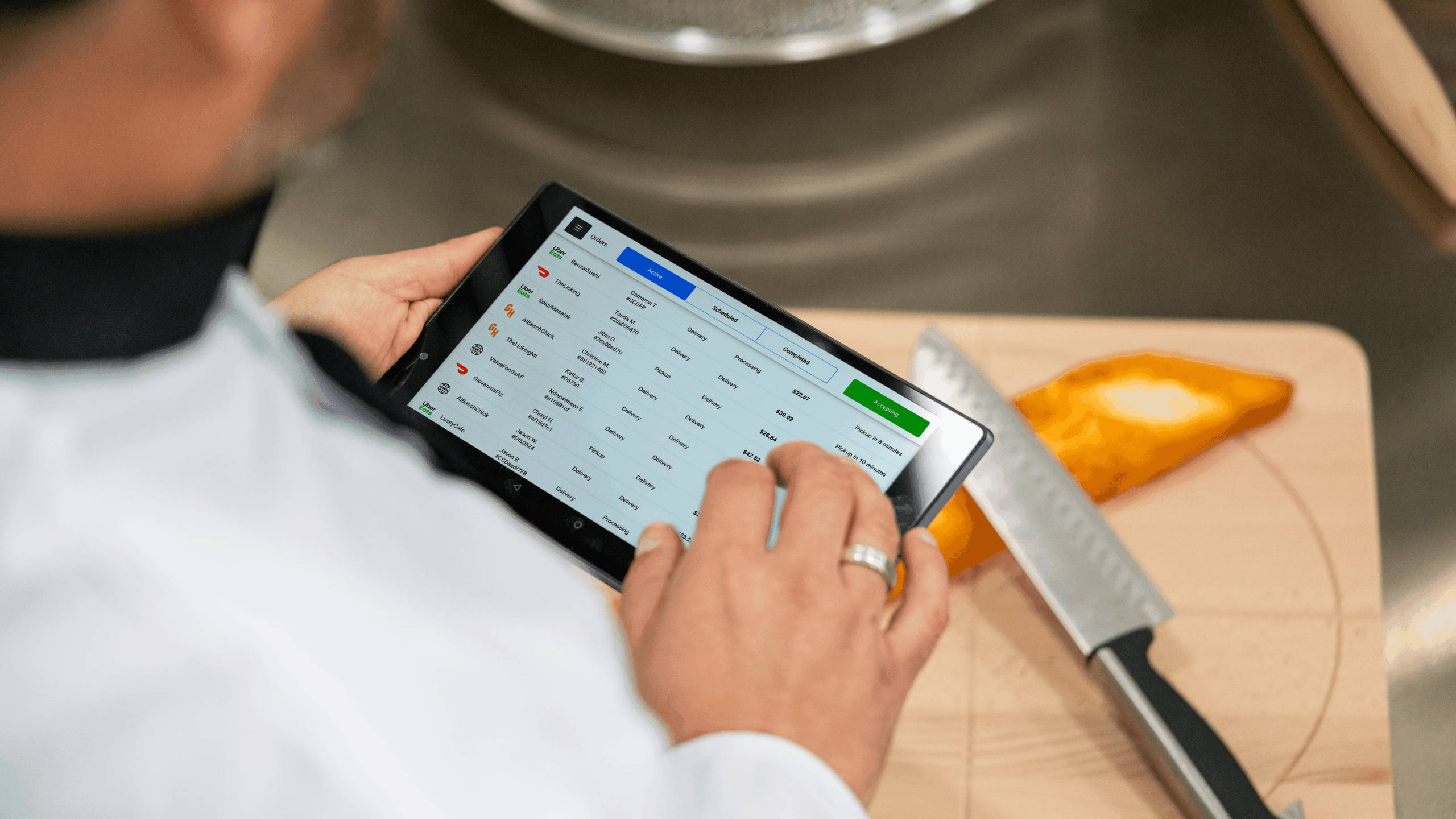
The best POS system for pizza delivery brings orders into one place. Instead of asking staff to watch every tablet, orders should flow into the POS or order dashboard automatically.
This matters because third-party delivery is expensive enough without adding labor mistakes on top. DoorDash lists delivery commission rates of 15%, 25%, and 30% across its Basic, Plus, and Premier marketplace plans, while pickup is listed at 6%. Uber Eats lists marketplace fees of 20%, 25%, and 30% for its Lite, Plus, and Premium plans, plus other options for self-delivery, pickup, Uber Direct, and Webshop.
That does not mean pizza shops should avoid delivery apps completely. For many shops, they are still useful for visibility and customer acquisition. The better question is: are those orders manageable?
A good pizza POS should help you:
| Delivery Problem | POS Feature That Helps |
| Too many tablets | Order consolidation |
| Staff manually re-enters orders | Delivery app integrations |
| Late accepted orders | One-screen order management |
| Wrong menu pricing | Centralized menu sync |
| Slow driver handoff | Delivery status tracking |
| No clear profitability | Channel-level reporting |
Orders.co’s all-in-one POS is built around this exact problem: managing in-store and online orders, payments, promotions, and more in one connected platform. Its product page also highlights order integration, menu management, marketing tools, and flexible delivery management, including in-house dispatch, third-party fulfillment, AI dispatch, and SMS delivery details.
For a pizza shop, the win is simple: fewer screens, fewer missed orders, faster handoffs.
Menu Modifiers: The Pizza POS Feature You Cannot Ignore
Pizza menus are modifier-heavy. If your POS does not handle modifiers well, it is not the right POS for a pizzeria.
A basic restaurant POS may let you add “extra cheese” or “no onions.” A pizza POS needs to go further. It should support:
| Modifier Type | Pizza Example |
| Crust | Thin, regular, deep dish, gluten-free, cauliflower |
| Size | Slice, small, medium, large, extra-large |
| Sauce | Red sauce, white sauce, no sauce, pesto |
| Cheese | Regular, light, extra, vegan |
| Toppings | Add, remove, double, side-specific |
| Half-and-half | Half pepperoni, half mushroom |
| Combos | Two large pizzas plus wings and soda |
| Cooking notes | Well done, lightly baked, cut into squares |
| Allergies | Dairy-free, gluten-sensitive note |
| Upsells | Add garlic knots, wings, dessert, drink |
When modifiers are clunky, staff slows down. When modifiers are unclear, the kitchen makes mistakes. When online modifiers do not match in-store modifiers, customers get frustrated.
This is especially important for online ordering. Customers expect to customize pizza easily on their phone. If your online menu makes them call the shop to explain a basic half-and-half order, you are creating friction right before checkout.
According to Restaurant Dive’s coverage of NCR Voyix’s 2025 Customer Experience Report, 58% of customers prefer using a restaurant’s own app or website to order delivery, and customers cited convenience, ease of customization, and loyalty points as reasons for ordering directly. That is a big deal for pizza shops. Customization is not a nice-to-have; it is part of the sale.
A strong POS for pizza shops should make modifiers easy for both staff and customers. It should also let you update modifiers once and push those updates everywhere: POS, website, delivery apps, and digital menus.
Orders.co’s pizzeria positioning specifically emphasizes deep menu customization, direct ordering, delivery support, menu sync, and the ability to update menus across platforms from one dashboard.
Speed: Your POS Should Help the Line Move
Pizza customers are patient about a fresh pie, but they are not patient about confusion.
They will wait for food if they know the order is moving. They get annoyed when staff keeps asking the same question, the order is missing, the driver is standing around, or the pizza is sitting ready but nobody knows where it goes.
Speed is not only about the oven. It is about the entire order path:
Order placed → order accepted → ticket routed → pizza made → payment handled → pickup or delivery completed.
A slow POS creates drag at every step. A fast POS removes steps.
Look for these speed features:
| Speed Feature | Why It Matters |
| Fast order entry | Cashiers can build common pizza orders quickly |
| Saved customer profiles | Repeat customers do not have to explain the same delivery details |
| KDS or printer routing | Kitchen sees tickets clearly and quickly |
| Integrated payments | Staff does not bounce between systems |
| Online ordering sync | Direct orders go straight into workflow |
| Delivery dispatch | Drivers get order details without extra calls |
| Real-time order status | The staff can answer “Is my pizza ready?” quickly |
The best POS system for pizza shops should be easy enough for new staff to learn quickly. If it takes weeks to train a cashier, the system is too complicated. Pizza shops often deal with turnover, part-time staff, and high-volume shifts. The POS has to make the right action obvious.
Orders.co’s pizzeria optimizations highlight quick-service speed, staff-friendly workflows, item modifications, combo orders, ticket splitting, order consolidation, printer/KDS routing, and real human support.
That is the kind of practical detail pizza owners should care about. Not whether a system sounds impressive in a demo, but whether your team can survive Friday night with it.
Loyalty: Pizza Shops Should Not Have to “Re-Buy” the Same Customer
Pizza is one of the best categories for loyalty because customers come back often. A family that likes your pizza might order every Friday. An office might order lunch twice a month. A college student might order after every game. A nearby customer might grab slices every week.
The problem is that third-party apps can hide the customer relationship. If someone finds you on a marketplace, orders through the marketplace, gets offers from the marketplace, and remembers the marketplace more than your shop, you are paying for access to a customer you should be building a direct relationship with.
That is why a loyalty program should be part of your pizza POS strategy.
A good pizza loyalty program can:
| Loyalty Goal | Example |
| Increase repeat orders | “Earn points on every direct order” |
| Move customers from apps to direct | “Order from our website and get a free side” |
| Increase average ticket | “Spend $40 and unlock garlic knots” |
| Win back lapsed customers | “We miss you — here’s 15% off tonight” |
| Promote slow nights | “Double points on Tuesdays” |
| Build customer data | Track order history, favorite items, and frequency |
Loyalty works best when it is connected to ordering. If customers earn points online but cannot redeem them in-store, the experience breaks. If loyalty is in a separate app your cashier cannot see, staff gets frustrated. If promotions do not connect to your menu, customers call the store confused.
The best POS system for a pizza shop should integrate Customer Relationship Management (CRM) tools directly with ordering and loyalty. This goes beyond a simple punch card. A modern system allows you to:
- Automate Marketing: Set up campaigns that automatically send an SMS or email offer to customers who haven’t ordered in 30 days.
- Segment Your Audience: Target promotions effectively. For example, send a special on vegan pizza only to customers who have ordered it before.
- Build Detailed Customer Profiles: See a customer’s entire order history, their favorite items, and their total spending at a glance.
For pizza shops, this isn’t just a ‘marketing feature.’ It’s how you turn a one-time DoorDash customer into a loyal regular who orders directly from you every Friday night.
The National Restaurant Association’s 2025 off-premises report summary says consumers want speed, ease of use, rewarding experiences, and tech-enabled ordering/payment options; it also describes loyalty programs as part of the value customers expect.
For pizza shops, loyalty is not just a “marketing feature.” It is how you protect your regulars.
Direct Online Ordering: Keep More of the Orders You Already Earned
Third-party apps can introduce your pizza shop to new customers. But once someone already knows your shop, why pay a high commission every time they reorder?
That is where direct online ordering matters.
A direct ordering website lets customers order from your brand, your menu, and your checkout flow. It also gives you more control over customer data, offers, loyalty, and repeat marketing.
This is where many pizza shops have a huge opportunity. Your regulars may already want to support you directly, but they need an easy path. If your website has a tiny “Order Online” button, links out to third-party apps, or shows an outdated PDF menu, you are making direct ordering harder than it needs to be.
A better setup looks like this:
| Customer Action | Ideal Experience |
| Searches your pizza shop | Finds your website or Google profile |
| Clicks “Order Online” | Goes to your branded ordering page |
| Customizes pizza | Uses clear modifiers and upsells |
| Pays online | Order flows into POS/kitchen |
| Earns loyalty points | Gets a reason to order again |
| Receives follow-up | Gets future direct offers |
Orders.co’s POS page says the platform helps restaurants manage in-store and online orders, payments, promotions, and more, while keeping operations connected for single-location and multi-location restaurants. Its pizzeria materials also position direct ordering, loyalty, order consolidation, and marketing automation as key pizza-shop features.
The goal is not to turn off every delivery app tomorrow. The smarter move is to use marketplaces for discovery, then give customers a better reason to order directly next time.
Reporting: Know Which Orders Actually Make Money
Many pizza owners know sales are coming in, but not always where profit is coming from.
That is a problem.
A busy shop can still have weak margins if too much revenue comes through high-fee channels, discounts are overused, labor is tied up in manual re-entry, or menu items are priced wrong.
A pizza POS should answer questions like:
| Question | Why It Matters |
| Which channel brings the most revenue? | Compare walk-in, phone, website, DoorDash, Uber Eats, Grubhub |
| Which channel brings the best margin? | Sales volume is not the same as profit |
| Which pizzas sell most? | Helps with prep, purchasing, and promotions |
| Which modifiers are popular? | Shows topping trends and upsell opportunities |
| Which offers drive repeat orders? | Helps avoid discounting blindly |
| Which stores are performing best? | Important for multi-location pizzerias |
| Which nights are slow? | Helps plan promos and staffing |
A POS that only shows total sales leaves you guessing. A better system helps you see patterns.
For example, you might learn that your large specialty pizzas sell well on delivery apps, but your direct website drives more repeat orders. Or that Tuesday carryout bundles bring in profitable family orders. Or that one location is discounting too heavily. Without clean reporting, you are making decisions from gut feel.
Gut feel matters in restaurants. But gut feel plus clean numbers is better.
What About Toast, Square, Clover, and Other Pizza POS Systems?
There are several strong restaurant POS systems on the market. Toast, Square, Clover, SpotOn, Lightspeed, and others may all fit different restaurant types depending on budget, size, service model, and feature needs.
But pizza shops should not choose a POS just because it is popular.
Use this checklist instead:
| Question to Ask | Why It Matters for Pizza |
| Can it handle complex pizza modifiers? | Half-and-half toppings, crusts, substitutions, notes |
| Does it integrate delivery orders? | Prevents tablet chaos and manual entry |
| Can I update menus everywhere? | Avoids wrong prices and unavailable items |
| Does it support direct ordering? | Helps reduce dependence on marketplaces |
| Does loyalty work online and in-store? | Encourages repeat customers |
| Can staff learn it quickly? | Critical for rushes and turnover |
| Does it support dispatch or delivery tracking? | Helps with in-house and outsourced delivery |
| Can it grow with multiple locations? | Keeps menus, pricing, and reporting consistent |
| Are fees transparent? | Prevents surprise costs and add-ons |
| Can I keep my current POS if needed? | Reduces switching risk |
For many independent shops, the real question is not “Which POS has the longest feature list?” It is “Which system removes the most chaos from my day?”
That is why Orders.co can fit well for pizzerias that want POS, delivery integrations, online ordering, loyalty, marketing, dispatch, menu management, and reporting tied together without turning the restaurant into a tech project. Orders.co’s official POS page describes it as an all-in-one platform for in-store and online orders, payments, promotions, and connected operations.
Real-World Example: The Two-Location Pizza Shop
Imagine a family-owned pizza shop with two locations.
Before upgrading its POS workflow, the shop has:
- A main POS for in-store orders
- DoorDash, Uber Eats, and Grubhub tablets
- A website that sends orders to email
- A separate loyalty punch-card app
- Managers updating menus manually on each platform
- No easy way to compare delivery app sales to direct orders
At 7 p.m. on Friday, the staff is not just making pizza. They are managing systems.
After moving to a connected pizza POS setup, the workflow changes:
- Online and delivery orders appear in one dashboard
- Menu changes are pushed from one place
- The kitchen receives clearer tickets
- Loyalty is tied to direct orders
- Managers can see which channel is driving revenue
- Staff spends less time re-entering orders and more time helping customers
The restaurant did not become less busy. The rush still happens. The difference is that the rush becomes easier to control.
That is the promise of a good POS system for pizza shops: not “more technology,” but fewer fires.
Where Orders.co Fits Naturally
Orders.co is not just trying to be another cash register. It positions its POS as part of a broader restaurant operations and growth platform.
For pizza shops, that matters because your biggest problems are connected:
Delivery affects speed.
Speed affects reviews.
Reviews affect new orders.
Menu accuracy affects refunds.
Loyalty affects repeat business.
Direct ordering affects margins.
Reporting affects decisions.
If those pieces live in separate systems, you are always chasing the next issue.
Orders.co brings POS, online ordering, delivery integrations, menu management, loyalty, marketing, reporting, and dispatch tools into one connected system. Its pizzeria-focused materials emphasize order consolidation, menu sync, direct ordering, built-in marketing, loyalty, real-time availability updates, and support for existing POS workflows.
That does not mean every pizza shop has to rip out its current POS on day one. In fact, one of the most practical approaches is to fix the most painful gaps first: delivery orders, menu sync, direct ordering, reporting, or loyalty. Orders.co’s sales training notes position the platform as something that can replace a POS or run alongside an existing system to handle delivery apps, direct ordering, reporting, marketing, and loyalty.
That is important because most owners do not want disruption. They want the shop to run smoother.
Buyer Checklist: How to Choose the Best POS System for Your Pizza Shop
Before signing with any pizza POS provider, ask these questions:
| Category | Questions to Ask |
| Delivery | Does it integrate with DoorDash, Uber Eats, Grubhub, and my direct website? |
| Menu mods | Can it handle half-and-half pizzas, crusts, toppings, combos, notes, and upsells? |
| Online ordering | Can customers order directly from my branded website? |
| Loyalty | Can customers earn and redeem rewards online and in-store? |
| Menu sync | If I change one price or mark one item unavailable, will it update everywhere? |
| Speed | Can a new cashier learn common orders quickly? |
| Kitchen | Does it route tickets to the right printer or KDS? |
| Reporting | Can I see revenue by channel, item, location, and promotion? |
| Delivery fulfillment | Can I manage in-house drivers or third-party delivery support? |
| Pricing | Are software, hardware, processing, support, and add-ons clearly listed? |
| Support | Can I reach a real person during restaurant hours? |
| Flexibility | Can I keep my existing POS while fixing online ordering and delivery first? |
The best POS system is the one your staff will actually use correctly during a rush.
Understanding the Costs of a Pizza POS System
POS system pricing isn’t always straightforward. Costs typically fall into three categories:
- Hardware Costs: This is the upfront investment in your terminals, printers, and card readers. Costs can range from a few hundred dollars for a simple tablet setup to several thousand for a multi-terminal system.
- Software Subscription Fees: Most modern POS systems charge a monthly fee per terminal or location for using their software. These can range from $50 to over $300 per month, depending on the features included, like advanced reporting, loyalty programs, and online ordering.
- Payment Processing Fees: Every time you accept a card payment, a small percentage is taken as a processing fee. A typical rate is around 2.6% + $0.10 per transaction, but this can vary. Be sure to ask about rates for in-person versus online orders.
Common Mistakes Pizza Shops Make When Choosing a POS
Choosing the cheapest option
A cheap POS can become expensive if it slows service, breaks during rush, lacks support, or forces you to buy add-ons later. Always look at total cost, not just monthly price.
Ignoring modifiers
If the demo does not show a half-and-half pizza with multiple toppings, special instructions, coupons, and delivery, you have not really tested the system for pizza.
Letting delivery apps stay disconnected
Delivery app tablets may seem manageable at first. But once order volume grows, disconnected systems create missed orders, late accepts, duplicate entry, and staff stress.
Forgetting about direct ordering
If customers already know your pizza shop, give them a clear way to order from you directly. Do not make your own website send loyal customers back to a commission-based marketplace.
Buying features your team cannot use
A powerful POS that confuses cashiers will hurt you. A simple workflow your staff can learn quickly is worth more than a feature list nobody understands.
FAQ: Best POS System for Pizza Shops
What is the best POS system for a pizza shop?
The best POS system for a pizza shop is one that handles delivery, pickup, walk-ins, complex pizza modifiers, online ordering, loyalty, menu sync, and reporting in one connected workflow. Pizza shops should prioritize speed, order accuracy, and repeat-customer tools over generic POS features.
What POS features matter most for pizzerias?
The most important pizzeria POS features are delivery integrations, menu modifiers, half-and-half topping support, combo ordering, kitchen routing, direct online ordering, loyalty programs, payment processing, menu sync, and channel-level reporting.
Do pizza shops need delivery app integrations?
Yes. If your pizza shop uses DoorDash, Uber Eats, Grubhub, or other delivery apps, integrations can reduce manual order entry, missed orders, delays, and staff frustration.
Can a pizza POS help reduce third-party delivery fees?
A POS cannot change marketplace commission rates by itself, but it can help you build more direct online orders. Direct ordering gives customers a way to order from your website or app, which can reduce dependence on commission-based marketplaces over time.
Should a pizzeria POS include loyalty?
Yes. Pizza is a repeat-order business, so loyalty is one of the most valuable POS features for pizzerias. A connected loyalty program can bring regulars back, encourage direct orders, and help you promote slow nights.
Can I keep my current POS and still use Orders.co?
Orders.co can work as an all-in-one POS or alongside an existing POS, depending on the restaurant’s setup. That makes it useful for shops that want to fix delivery, direct ordering, reporting, marketing, or loyalty before fully switching systems.


