- Why POS Systems Matter for Small Restaurants
- Essential POS Features Small Restaurants Use Daily
- Features That Are Nice-to-Have (But Not Always Essential)
- How to Choose the Best POS System for Your Small Restaurant
- Common Mistakes Small Restaurants Make When Choosing a POS
- Final Tips for Getting the Most from Your POS System
- FAQ: POS Features and Systems for Small Restaurants
- More Helpful Reads
Running a small restaurant is no easy task. Every day brings new challenges and opportunities.
A reliable POS system can make a big difference. It streamlines operations and enhances customer service.
But not all POS features are created equal. Some are more crucial for small restaurants than others.
Understanding which features are essential can save time and money. It helps in making informed decisions.
Small restaurants need systems that are easy to use. Minimal training should be required for staff.
Inventory management is another key feature. It helps track stock levels and reduce waste.
Sales reporting and analytics are vital too. They provide insights into performance and guide data-driven decisions.
Choosing the right POS system can transform a small restaurant’s operations. It can lead to greater success.
Why POS Systems Matter for Small Restaurants
POS systems are a lifeline for small restaurants. They offer tools that simplify daily tasks and improve efficiency. In the hustle and bustle of restaurant life, every second counts.
These systems do more than process payments. They integrate various operations into a single hub. This not only saves time but also reduces errors.
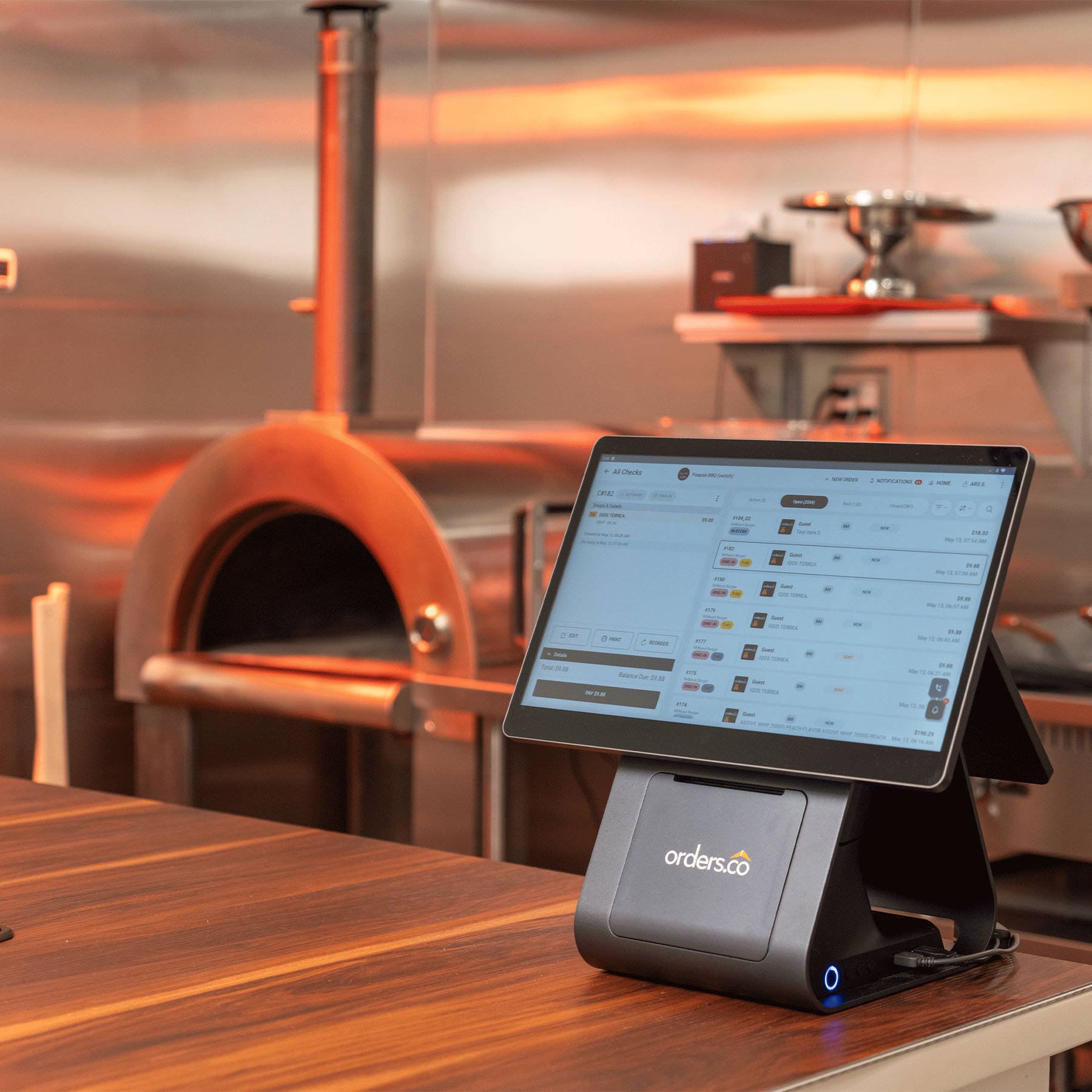
If you’re looking for an all-in-one option that covers the day-to-day basics (and then some), Orders.co’s all-in-one POS is designed for small restaurants and includes 24/7 customer service when you need help.
With the right POS system, small restaurants can:
- Enhance customer service
- Track sales and inventory
- Manage employee schedules
Investing in a quality POS system impacts the bottom line. It provides insights that drive smarter business decisions. This technology ensures small restaurants stay competitive and responsive to customer needs.
Essential POS Features Small Restaurants Use Daily
For small restaurants, choosing the right POS system is crucial. Not all features are equally important in daily operations. Understanding which features matter most can lead to greater efficiency.
Inventory management is a vital component. Tracking stock helps reduce waste and ensure menu consistency. Sales reporting and analytics provide insights into performance and help restaurants grow.
Integration with online ordering platforms is increasingly important. It allows small restaurants to expand their customer base. Furthermore, CRM and loyalty programs help build lasting relationships with customers.
Here are essential POS features:
- Order management
- Inventory tracking
- Sales reporting
- Employee management
By focusing on these key features, small restaurants can streamline operations and enhance customer satisfaction.
1. Order Management and Table Service
Efficient order management is a cornerstone of restaurant success. A POS system should simplify the order-taking process. This reduces errors and speeds up service.
Table management tools help staff stay organized. They can see which tables are occupied and which are available. This improves the flow of diners and boosts turnover.
Key components of order management include:
- Fast order entry
- Table assignments
- Modifying orders easily
Simplifying these processes ensures staff spend more time with customers. It enhances the dining experience and fosters repeat business.
2. Inventory Management
Keeping track of ingredients is a challenge for many restaurants. A POS with inventory management can track stock in real-time. This feature reduces the chance of running out of key ingredients.
By automating inventory updates, restaurants save time. They can quickly see what s low and reorder accordingly. This system can help identify trends in ingredient usage.
Important aspects of inventory management:
- Real-time tracking
- Automated updates
- Trend analysis
Investing in this feature reduces waste and controls costs. It also ensures menu items remain consistent and available.
3. Payment Processing and Flexibility
Payment processing is more than ringing up sales. Today’s consumers expect flexible payment options. A POS system should handle various methods without hassle.
Contactless payments, credit cards, and digital wallets should be integrated. This ensures a seamless checkout experience. Secure transactions are essential to protect customer data.
Benefits of flexible payment processing:
- Multiple payment options
- Fast and secure transactions
- Reduced checkout times
By offering diverse payment methods, small restaurants can improve customer satisfaction and streamline operations.
4. Sales Reporting and Analytics
Data is invaluable for improving restaurant operations. POS systems with robust sales reporting offer insights into what’s working. They provide critical information on peak sales times and best-selling items.
Analytics tools can identify trends and customer preferences. This data allows for adjustments in marketing or menu offerings. Detailed reports drive informed business decisions.
Key features of sales reporting:
- Detailed analytics
- Trend identification
- Peak sales insights
By understanding sales patterns, small restaurants can optimize their operations and increase profitability.
5. Employee and Labor Management
Managing a small restaurant’s staff is complex. POS systems can simplify employee management. They offer tools for scheduling, time tracking, and payroll.
Labor management features help control costs and improve efficiency. Managers can track hours worked and shift coverage. It ensures staffing meets demand without over-scheduling.
Important employee management features:
- Shift scheduling
- Time tracking
- Payroll integration
With these tools, small restaurants can better manage their teams and keep labor costs in check.
6. Customer Relationship Management (CRM) and Loyalty Programs
Building a loyal customer base is crucial for small restaurants. CRM features in POS systems help track customer preferences and history. This data is key to creating personalized experiences.
Loyalty programs encourage repeat business. POS-integrated programs automate rewards tracking and redemption. They can offer insights into customer spending habits.
Essential CRM and loyalty features:
- Customer data tracking
- Automated rewards
- Spend analysis
With the right CRM tools, small restaurants can foster loyalty and increase customer retention.
7. Integration with Online Ordering and Delivery Platforms
Online ordering has become an essential revenue stream. POS systems should integrate smoothly with these platforms. This ensures orders are processed efficiently and without error.
Such integration helps expand the restaurant’s reach. It can lead to increased sales and customer satisfaction. Delivery platform integration is crucial for maintaining streamlined operations.
Key benefits of online integration:
- Expanded customer reach
- Increased sales opportunities
- Streamlined order processing
By integrating online and delivery platforms, small restaurants position themselves for long-term success.
8. Menu Management and Customization
Menus need frequent updates for various reasons. POS systems with menu management simplify this process. Restaurants can add or update items with ease.
Customizable menus offer flexibility. They allow special promotions or adjustments based on ingredient availability.
Key menu management features:
- Easy updates
- Customizable options
- Promotion integration
With effective menu management, small restaurants can adapt quickly to customer demands.
9. Cloud-Based Access and Mobile POS
The ability to access POS data from anywhere is powerful. Cloud-based systems provide flexibility and convenience. They allow owners to monitor operations remotely.
Mobile POS systems enhance customer service. They enable orders and payments to be processed at the table.
Advantages of cloud-based and mobile POS:
- Remote access
- Tableside service
- Real-time updates
This technology helps small restaurants maintain oversight and improve service delivery.
10. Security and Data Protection
Security is paramount in today’s digital age. POS systems must protect customer and business data. Data encryption and secure logins are essential features.
A breach can damage reputation and customer trust. Secure systems safeguard sensitive information and instill confidence in customers.
Essential security features:
- Data encryption
- Secure logins
- Regular software updates
By prioritizing security, small restaurants can protect their assets and build customer trust.
Features That Are Nice-to-Have (But Not Always Essential)
While essential features streamline operations, some extras can enhance efficiency. These features may not be critical, but they offer added convenience and personalization.
Multi-language support can cater to diverse patrons. Gift card management provides added revenue streams. Marketing tools help promote special events and discounts.
Extras include:
- Multi-language options
- Gift card management
- Marketing features
Although they enhance functionality, they are not strictly necessary for all small restaurants. Tailoring your POS system to specific needs ensures an optimal balance of features and costs.
How to Choose the Best POS System for Your Small Restaurant
Selecting the best POS system for a small restaurant requires careful consideration. Start by identifying the specific needs and constraints of your business. Think about the key features that address your daily operational challenges.
Next, compare different systems based on their core functionalities. Check for user reviews to gain insight into real-world performance. Evaluate the system’s ease of use and scalability.
When narrowing down your options, keep these factors in mind:
- Integration with existing platforms
- Cost and pricing transparency
- Quality of customer support
Lastly, test a few systems through demos or free trials. This hands-on experience is invaluable. It helps determine the system best suited to your restaurant’s unique needs.
Common Mistakes Small Restaurants Make When Choosing a POS
Choosing the right POS system can be tricky for small restaurants. One common mistake is focusing only on cost. Price matters, but you shouldn’t overlook essential features just to choose a cheaper option.
Another frequent error is ignoring system compatibility and integration needs. A system that’s hard to integrate with existing software creates more problems than it solves.
Key mistakes to avoid include:
- Overlooking user-friendly design
- Ignoring crucial feature compatibility
- Neglecting future scalability options
Make sure you evaluate your business needs carefully. Avoid rushing into a decision without thorough research and planning. Select a system that fits both your current needs and future growth goals.
Final Tips for Getting the Most from Your POS System
Maximizing the benefits of your POS system requires continuous engagement. Regularly update software to ensure you have the latest features and security. Training your staff thoroughly will minimize errors and improve efficiency.
To get the most from your POS system:
- Schedule routine maintenance checks
- Customize reports for targeted insights
- Use CRM tools to enhance customer loyalty
Remember to explore all the features your POS offers. Regularly review your system settings to align with your evolving business needs. Tailor the system to support your restaurant’s specific operations for better outcomes.
FAQ: POS Features and Systems for Small Restaurants
Most small restaurants rely on fast order entry, flexible payments, basic inventory tracking, sales reporting, and employee management. If your POS does those well, you’ll feel the impact immediately.
Not always, but cloud access helps if you want to check sales, labor, or inventory from anywhere. It can also make updates and troubleshooting easier than older on-premises systems.
The best POS system for small restaurant teams is the one that matches your workflow: dine-in, takeout, delivery, or all three. Look for an interface that your staff can learn quickly and reporting that answers real questions (not just fancy charts).
Prioritize POS systems that restaurants can connect to online ordering and delivery without re-keying tickets. Direct integrations help reduce missed modifiers, wrong prep times, and duplicate charges.
Often, yes. An all-in-one approach can reduce the need for separate subscriptions for ordering, payments, reporting, and operational tools, and it usually means fewer logins and fewer points of failure.
Inventory tracking and recipe-level usage (when available) help you spot over-ordering and slow-moving items. Even simple low-stock alerts and sales-by-item reports can guide smarter purchasing.
At a minimum: chip cards, tap-to-pay/contactless, and mobile wallets. The goal is faster checkout and fewer declined transactions.
For most small teams, basic order and payment flows should take hours, not weeks if the system is well designed. Ask about onboarding resources, training modes, and how easy it is to add new staff.
Start with top-selling items, sales by daypart, voids/discounts, labor cost vs. sales, and inventory variance. Those weekly checkpoints help you catch issues early.
If you’re open nights or weekends, 24/7 support can be the difference between a quick fix and a full shift of slow service. For example, orders.co provides 24/7 customer service, so help is available when the dining room is busy.