


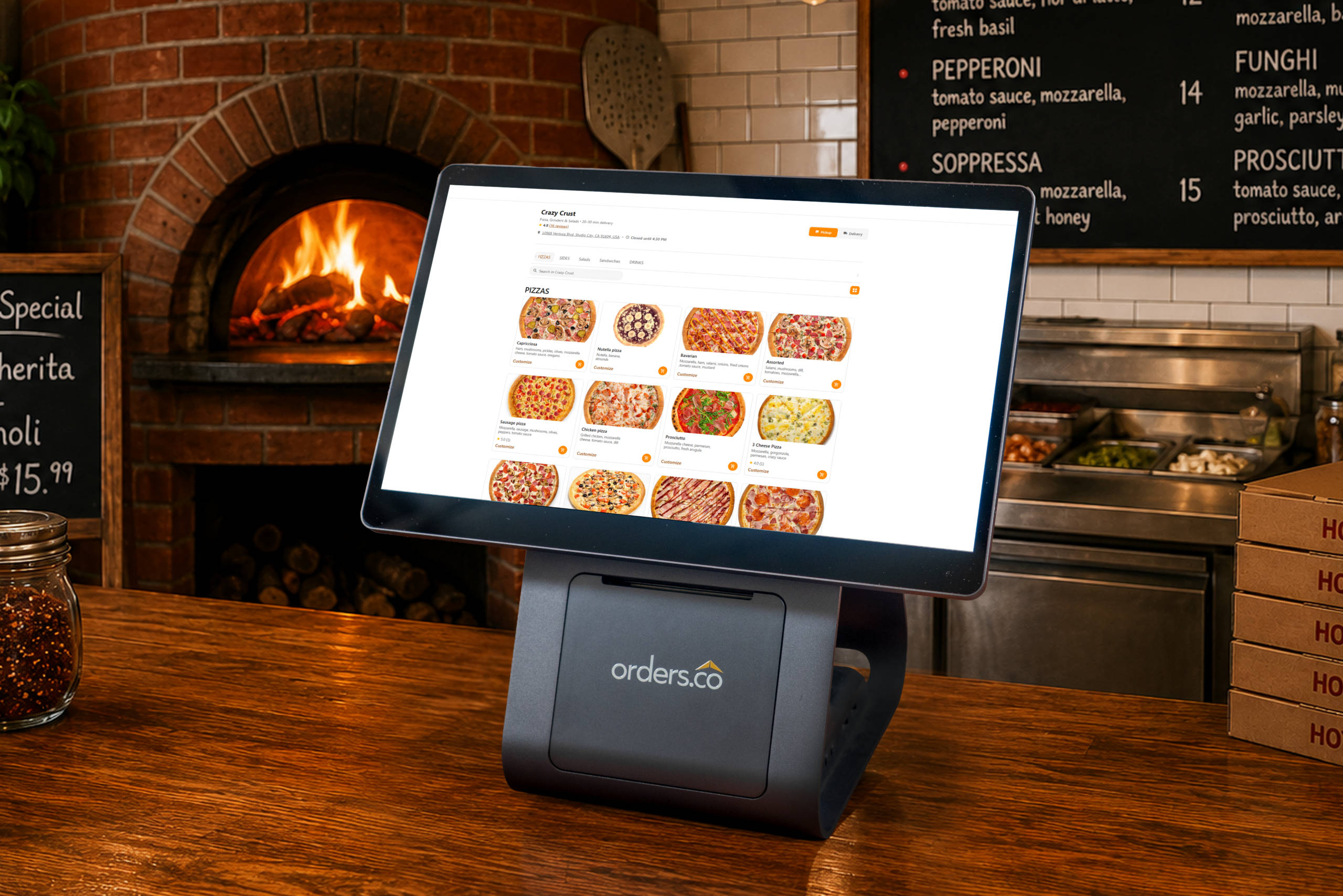
A practical guide to hidden costs, must-have features, and choosing a system that actually fits the way your restaurant runs
- A practical guide to hidden costs, must-have features, and choosing a system that actually fits the way your restaurant runs
- Start With the Real Problem: Restaurant Operations Are Already Complicated
- Look Beyond the Monthly Price
- Ask Whether “Included” Really Means Included
- Make Sure the POS Fits the Way Orders Actually Come In
- Prioritize Delivery and Online Ordering Integration
- Check Menu Management Before You Commit
- Do Not Ignore Hardware Lock-In
- Read the Contract Like Your Margins Depend on It
- Think About ROI, Not Just Cost
- Compare POS Options Based on Fit
- FAQ
Choosing a POS system sounds simple until you start comparing providers.
One company promises a “free” starter plan. Another shows you a sleek terminal and says it will make service faster. Another says it connects with delivery apps, online ordering, loyalty, marketing, reporting, and everything else you need to run the business.
Then the real questions start.
Is online ordering included, or is it an add-on?
Do delivery orders flow into the POS, or does your staff still have to re-enter them?
Can you cancel if the system does not work for you?
Will the hardware still be useful if you switch providers?
And most importantly: will this actually make the restaurant easier to run?
For independent restaurants, franchise operators, ghost kitchens, and multi-location managers, the wrong POS is not just a software mistake. It can create missed orders, messy reporting, staff frustration, surprise fees, and long-term contracts that are hard to escape.
A good POS should do more than take payments. It should help you run in-store orders, online orders, delivery apps, menus, payments, promotions, reporting, and customer data without forcing your team to jump between five different screens during a rush.
Here is what restaurants need to know before choosing a POS system.
Start With the Real Problem: Restaurant Operations Are Already Complicated
Most restaurants are not struggling because the staff is careless. They are struggling because the systems are disconnected.
A normal dinner rush might include dine-in orders, phone orders, Uber Eats, DoorDash, direct online orders, walk-ins, refunds, menu changes, and delivery drivers waiting at the counter. If each channel has its own tablet, printer, dashboard, or login, the restaurant becomes harder to manage as it grows.
That is where many POS systems fall short.
A traditional POS may work fine for walk-in orders. But modern restaurants are not only ringing up customers at the counter. They are managing off-premise orders, digital menus, third-party delivery, direct ordering, loyalty programs, customer messages, and sales reports across multiple platforms.
This matters because off-premise dining is no longer a side channel. Takeout, delivery, and drive-thru now make up a major share of restaurant traffic. If your POS does not reflect that reality, your team ends up doing extra manual work.
The best POS system is not the one with the flashiest screen. It is the one that reduces chaos when orders are coming from everywhere at once.
Look Beyond the Monthly Price
The first mistake many restaurants make is comparing POS systems only by the advertised monthly fee.
A $0 plan may sound attractive. A $69 plan may sound affordable. A custom quote may sound flexible. But the sticker price is rarely the full cost.
Before choosing a POS, ask what you will actually pay each month, including everything.
That means:
| Cost Area | What to Ask Before Signing |
| Software subscription | What features are included in the base plan? |
| Hardware | Do I have to buy proprietary terminals, printers, or card readers? |
| Payment processing | What are the exact rates for card-present, online, and manual payments? |
| Online ordering | Is it included, or does it cost extra? |
| Delivery integrations | Are third-party delivery orders included or billed separately? |
| Menu management | Can I update menus across channels from one place? |
| Reporting | Are advanced reports included? |
| Support | Is live support included, or is there a support fee? |
| Cancellation | Is there a contract, auto-renewal, or early termination fee? |
This is where many restaurants get surprised. The base plan looks manageable, but essential tools like online ordering, loyalty, delivery integrations, marketing, payroll, and advanced reporting may require upgrades.
For a small restaurant, a “cheap” system can quickly turn into an expensive one.
A better way to compare POS systems is the total cost of ownership. Add up software, hardware, processing, add-ons, support, training, implementation, and the time your staff will spend managing the system.
The cheapest POS is not always the lowest-cost POS.
Ask Whether “Included” Really Means Included
Many providers say they “offer” online ordering, loyalty, delivery integrations, gift cards, marketing tools, or reporting. But “offer” does not always mean “included.”
Sometimes those features are available only through paid add-ons. Sometimes they require third-party apps. Sometimes they come with per-order fees, extra monthly subscriptions, or separate contracts.
That is why restaurant owners should ask very direct questions:
“Is this included in my monthly plan?”
“Is there a per-order fee?”
“Is this a native feature or a third-party app?”
“Will I need to pay another vendor?”
“Can you show me a sample invoice?”
This is especially important with online ordering and delivery tools. A restaurant may think it is buying a single, integrated system, only to find that delivery app integration, branded ordering, loyalty, or marketing requires separate tools.
For an operator already tired of juggling apps, that defeats the point.
A strong POS should reduce the number of systems your team depends on. It should not create a new stack of subscriptions.
Make Sure the POS Fits the Way Orders Actually Come In
A restaurant POS should support the real order flow inside your business.
For example, a quick-service restaurant needs fast order entry, simple modifiers, reliable kitchen routing, and easy payment processing. A pizzeria needs menu flexibility, delivery support, half-and-half toppings, combos, coupons, and repeat customer tools. A coffee shop needs speed, loyalty, mobile ordering, and easy item modifications. A multi-location restaurant needs centralized reporting, menu control, and consistent workflows across stores. Similarly, a full-service restaurant can speed up service and turn tables faster with mobile POS terminals that allow servers to take orders and payments directly at the table. Some modern systems even use ‘Tap to Pay’ technology, turning a standard smartphone into a payment device.
Before choosing a POS, map out where your orders come from.
Do you take mostly dine-in orders?
Do you rely on delivery apps?
Do you want more direct online orders?
Do you take catering or scheduled orders?
Do you manage multiple locations?
Do you need one menu for dine-in and another for delivery?
The right POS should match your operation, not force your restaurant to change how it works just to fit the software.
If a provider only shines in one area but creates workarounds everywhere else, that is a warning sign.
Prioritize Delivery and Online Ordering Integration
One of the biggest POS problems restaurants face is delivery app fragmentation.
A restaurant may have one tablet for DoorDash, one for Uber Eats, one for Grubhub, one direct ordering platform, and one POS terminal. During slow hours, that might be manageable. During a rush, it becomes a recipe for mistakes.
Staff may have to accept an order on one tablet, re-enter it into the POS, print a kitchen ticket, adjust menu availability somewhere else, and check another dashboard for reporting.
That creates:
- Missed orders
- Late acceptances
- Wrong items
- Missing modifiers
- Slower prep times
- Staff stress
- Lower delivery app performance
- More refunds and complaints
A modern restaurant POS should either integrate directly with delivery platforms or connect through a system that consolidates all orders into a single workflow.
This is where platforms like Orders.co fit naturally into the conversation. Orders.co positions its POS as part of a broader restaurant operations system, helping restaurants manage in-store and online orders, payments, promotions, and reporting from a single platform. The important point is not just that it has POS features. It is that it helps reduce the disconnected workflow that causes many restaurant mistakes in the first place.
For restaurant owners, the question is simple: “Will my staff still need to manage multiple tablets, or will orders flow into one system?”
Check Menu Management Before You Commit
A great POS does more than manage orders; it helps you manage your team. Look for systems that include a built-in time clock for easy punch-ins and punch-outs, user-level permissions to control who can access sensitive functions like voids or discounts, and reporting features that can track sales per employee. These tools can simplify payroll and help you identify your top performers.
Menu management is often overlooked during POS demos, but it becomes a daily headache when it is not handled well.
Restaurants change prices. Items sell out. Seasonal specials come and go. Delivery menus may need different pricing than dine-in menus. Multi-location restaurants may need some items standardized and others customized by location.
If your POS does not make menu updates easy, staff end up changing the same item in multiple places.
That leads to problems like:
- A sold-out item is still showing online
- Different prices across apps
- Customers ordering unavailable items
- Staff explaining mistakes
- Refunds and bad reviews
A strong POS should let you update menus quickly and keep them consistent across the channels that matter: in-store, direct online ordering, delivery apps, QR menus, and possibly kiosks or mobile apps.
The best systems do not just store your menu. They help protect your margins and reduce customer frustration by keeping menu information accurate across all channels.
Do Not Ignore Hardware Lock-In
A complete POS system is more than just software; it includes a suite of hardware components that work together to process orders and payments. Common hardware includes a main terminal or tablet, a credit card reader (which can be integrated or separate), a receipt printer, a cash drawer, and barcode scanners for retail items. Many restaurants also use kitchen display systems (KDS) to send orders directly to the kitchen staff and handheld mobile terminals for tableside ordering.
Hardware can be one of the most expensive parts of choosing a POS.
Some systems require proprietary terminals, handhelds, printers, card readers, or kitchen displays. Proprietary hardware is not always bad. It can be durable and built specifically for restaurant environments. But it becomes a problem when the cost is high, the contract is long, and the equipment cannot be reused if you leave.
Before buying or leasing hardware, ask:
Do I own the hardware or lease it?
What happens if I cancel?
Can I use this hardware with another system?
What is the warranty?
What does replacement cost?
Is support included?
Can I start with fewer devices and add more later?
Be careful with “free hardware” offers. Free usually means the cost is recovered somewhere else, often through processing rates, long-term agreements, or cancellation penalties.
A good POS provider should be clear about hardware pricing and ownership from the beginning.
Read the Contract Like Your Margins Depend on It
Because they do.
Some POS systems come with long-term contracts, auto-renewal clauses, early termination fees, equipment return rules, or processing agreements that are not obvious during the sales conversation.
A restaurant owner may only discover the problem when they try to leave.
Before signing anything, look for:
- Contract length
- Auto-renewal terms
- Cancellation window
- Early termination fees
- Hardware return requirements
- Payment processing commitments
- Price increase clauses
- Support obligations
- Data export rules
Ask the sales rep to explain the cancellation process in writing. If canceling requires a phone call, video meeting, special form, or approval from an account manager, get those details before you commit.
A POS system should earn your business by working well, not trap you because leaving is painful.
Think About ROI, Not Just Cost
A POS is an investment. The right system should pay for itself by saving time, reducing errors, improving order flow, increasing direct orders, or helping you make better decisions.
But ROI is not only about sales growth. It is also about reducing waste.
For example, a POS can improve ROI if it helps you:
- Reduce manual order entry
- Prevent missed delivery orders
- Speed up service
- Improve menu accuracy
- Lower third-party commission dependence
- Increase repeat orders through loyalty
- Track sales by channel
- Reduce staff workload
- Avoid unnecessary add-ons
- Manage multiple locations from one place
- Generate detailed reports that track sales by channel, identify top-selling menu items, monitor employee performance, and understand peak business hours
The best customers are repeat customers. A modern POS should help you encourage loyalty by collecting customer information (with their permission) and tracking their order history. This data is the foundation for creating effective loyalty programs, sending targeted email or text promotions, and making guests feel remembered. Ask whether the system has built-in CRM and marketing tools or if it requires a separate subscription.
On the other hand, a low-cost POS can hurt ROI if it creates more work for your staff, lacks support, requires too many paid add-ons, or locks you into expensive processing.
The best question is not “How much does this cost?”
It is: “What will this system help us stop losing?”
Compare POS Options Based on Fit
Here is a simple way to evaluate different systems:
| Restaurant Need | What the POS Should Do |
| High delivery volume | Consolidate delivery orders into one workflow |
| Thin margins | Keep pricing transparent and reduce unnecessary fees |
| Small staff | Be easy to train and reduce manual work |
| Direct ordering goals | Support branded online ordering and customer data collection |
| Multiple locations | Offer centralized reporting and menu control |
| Frequent menu changes | Sync item updates across channels |
| Repeat customers | Include loyalty, promotions, or marketing tools |
| Busy rushes | Route orders quickly and reliably to the kitchen |
| Existing POS comfort | Allow integration or gradual transition if possible |
This is also where Orders.co can be mentioned without turning the article into a sales pitch. For restaurants that want one connected system for POS, online orders, delivery integrations, payments, promotions, reporting, and customer engagement, Orders.co is worth evaluating alongside traditional POS providers. It may be especially relevant for operators who do not want to keep adding separate tools just to manage modern ordering channels. For restaurants that want one connected system, platforms like Orders.co are worth evaluating alongside traditional POS providers like Toast, Square, or Clover, which also offer a wide range of features for different restaurant types.
The key is fit. A restaurant should not choose a system because it is popular. It should choose the system that solves its actual workflow problems.
FAQ
Restaurants should look for a POS system that fits how the business actually operates, not just one with a low monthly price or a sleek touchscreen. The best restaurant POS system should support in-store orders, online ordering, delivery app integrations, payments, menu management, reporting, and customer data management in a single connected workflow. Before signing up, restaurant owners should ask what is included, what costs extra, whether there is a contract, and whether the system will reduce manual work during busy service.
The biggest mistake is comparing POS systems only by the advertised monthly price. A low-cost or “free” POS system may still come with hidden costs for hardware, payment processing, online ordering, delivery integrations, loyalty, support, advanced reporting, or cancellation. Restaurants should compare the total cost of ownership, including software, hardware, processing fees, add-ons, onboarding, training, and the time staff spends managing disconnected systems.
Hidden POS fees are a problem because restaurants already operate on tight margins. Small charges for online orders, payment processing, hardware leasing, support, admin fees, gateway fees, or premium features can add up quickly. A POS system that looks affordable in a demo can become expensive once the restaurant adds the tools it actually needs. That is why restaurant owners should ask for a sample invoice and a full list of fees before committing.
Yes. A modern restaurant POS system should either include online ordering or integrate smoothly with a direct online ordering platform. Online ordering is no longer optional for many restaurants, especially those that rely on takeout, delivery, catering, or repeat customers. A POS with direct online ordering helps restaurants accept orders through their own website, collect customer data, reduce dependence on third-party apps, and create a smoother guest experience.
Delivery app integrations are very important for restaurants that use platforms like DoorDash, Uber Eats, Grubhub, or ezCater. Without integration, staff may need to manage multiple tablets and manually re-enter orders into the POS, increasing the risk of missed orders, incorrect items, late tickets, and refunds. A strong restaurant POS should consolidate delivery orders into a single workflow so the kitchen and front-of-house teams can stay focused during rush hours.
Yes. A good POS system can reduce order errors by eliminating manual re-entry, routing orders directly to the kitchen, keeping menus synced across platforms, and giving staff a single place to manage incoming orders. Mistakes often happen when restaurants use disconnected systems for dine-in, delivery apps, online ordering, and menu updates. A connected POS helps reduce confusion, especially during busy lunch and dinner periods.
Small restaurants should prioritize features that save time, reduce mistakes, and protect margins. The most important POS features for small restaurants include easy order entry, payment processing, online ordering, delivery app integration, centralized menu management, simple reporting, customer support, and transparent pricing. For many independent restaurants, the best POS system is not the most complicated one. It is the one staff that can learn quickly and use reliably every day.
Menu management matters because restaurants often change prices, mark items as out of stock, add specials, and adjust delivery menus. If the POS does not sync menu changes across online ordering, delivery apps, and in-store systems, customers may see incorrect prices or order items that are no longer available. A strong POS should let restaurants update menus from a single dashboard and keep information accurate across all ordering channels.
Restaurants should be careful with long-term POS contracts, especially if the cancellation terms are unclear. A POS system may look good during a demo, but if it does not fit the restaurant after implementation, the owner needs a clean way to leave. Before signing, restaurants should ask about the contract length, auto-renewal, early termination fees, hardware return policies, data export, and cancellation procedures. A trustworthy POS provider should explain these terms clearly in writing.
Orders.co helps restaurants simplify operations by connecting POS, online ordering, delivery integrations, menu management, payments, promotions, reporting, and customer engagement on a single platform. Instead of forcing restaurant teams to jump between separate tablets, dashboards, and apps, Orders.co is built to help centralize order flow and reduce operational chaos. For independent restaurants, small chains, ghost kitchens, pizzerias, cafés, and catering businesses, this can make daily operations easier to manage while supporting more direct orders and better customer relationships.


