POS is one of those terms you see constantly — on your card reader, in software pricing pages, on the tablet at the counter — but rarely see explained in plain language. So here is the short version: POS stands for point of sale, the moment and place where a sale is completed. The longer version, and the one that matters for running a business, is that a modern POS is the system that ties your orders, payments, and reporting together in one place.
This guide breaks down the POS meaning from the ground up: what the letters stand for, what a point-of-sale system actually includes, how a transaction moves through it, and the benefits and misconceptions worth knowing. If you run a small restaurant, the last sections cover what to look for in a system built for how your business actually operates.
What Does POS Stand For?
POS stands for point of sale. The term describes the exact point where a transaction takes place — the counter where a customer hands over a card, the terminal that accepts the payment, the register that records it. When someone asks what POS means, that is the core idea: the place and moment a sale is completed.
The phrase has been around far longer than the technology attached to it today. It once referred to little more than a cash drawer and a receipt. Now it describes an entire category of hardware and software, but the underlying meaning is the same: the point at which money changes hands and a sale becomes final.
Point of Sale Definition
The point of sale definition — sometimes written as the POS definition — is the location and time at which a retail service or restaurant completes a transaction. That is also the plain point of sale meaning most people are after: not the counter itself, but the system doing the work there — taking the order, calculating the total, processing payment, and logging the sale.
What Does POS Mean in Retail?
In retail, POS means the checkout — the register or terminal where a shopper pays for their items. A retail point of sale rings up products, applies any discounts, accepts payment, and updates inventory as items sell. The same term applies in restaurants, but the job is broader: a restaurant POS must also send orders to the kitchen, handle tips, split checks, and manage dine-in, takeout, and delivery simultaneously.
What Is a POS System?
Here is where the term splits in two. So what is the difference between a point of sale and a point of sale system? “POS” is the point of sale itself — the moment a sale happens. A “POS system” is the hardware and software that makes that sale possible there. The POS system, put simply, is the combined hardware and software a business uses to complete and record its sales. It is easy to use the two interchangeably, but the distinction is useful: one is a moment, the other is the tooling behind it.
A POS system is the central hub a business runs on. In a restaurant, it is where staff enter orders, route them to the kitchen, take payment, and record every sale — the single place all of that activity comes together. Think of it as the operational core of the business rather than just a payment step at the end.
The Components of a POS System
A POS system is a mix of physical hardware and the software that runs on it. The exact pieces vary by business, but most setups share a common set of parts.
POS Hardware
POS hardware is the equipment that customers and staff physically touch. A typical setup includes:
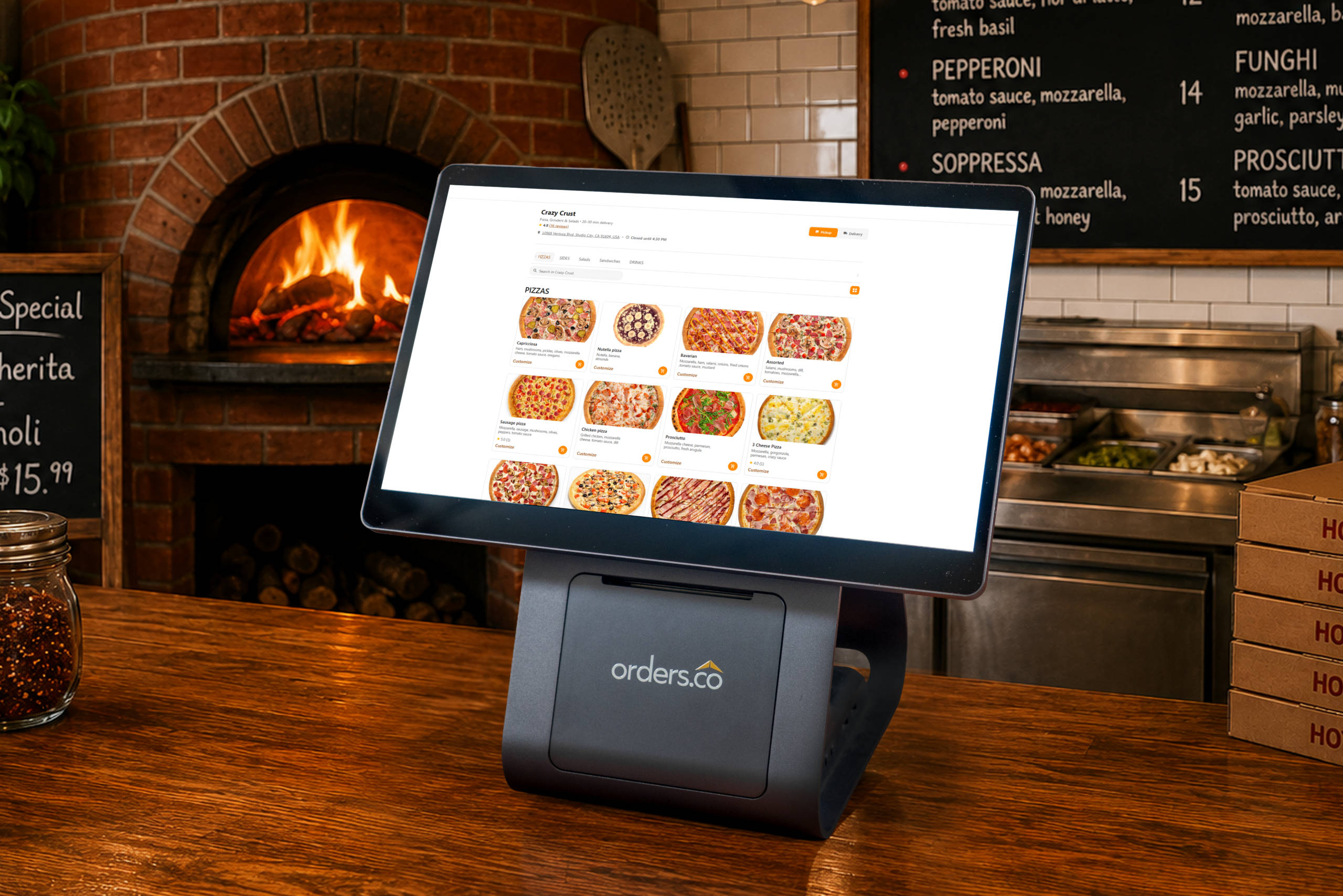
- POS terminal: the main device where orders are entered and totals are calculated. Modern terminals often combine the screen, card reader, and receipt printer into one compact unit with a built-in display, rather than a bulky register with separate peripherals.
- Payment device: the card reader that accepts chip, swipe, and contactless (tap) payments. Some connect wirelessly over Bluetooth; a wired connection works just as well, where a business prefers it.
- Receipt printer: prints customer receipts and, in restaurants, kitchen tickets. These are frequently paired with the terminal or built into it.
- Barcode scanner: used mainly in retail to read product codes at checkout, instantly pulling price and inventory data.
- Customer-facing display: a second screen the customer sees, showing order details and the total before they pay.
- Kitchen display systems and kiosks: in restaurants, kitchen screens can replace paper tickets, and self-service kiosks let customers order on their own.
POS Software
POS software is the part that does the thinking. It manages the menu or product catalog, calculates totals and taxes, processes payments, and stores sales data. It is what turns a screen and a card reader into a working system.
Most POS software today is cloud-based, meaning the data lives online rather than on a single machine in the back office. That has real advantages: the system updates automatically, an owner can check sales from a phone anywhere, and adding a location or device does not require reinstalling everything. Older on-premises software runs locally and keeps working without internet access, but it is harder to update and nearly impossible to check remotely, which is why most restaurants now run on cloud-based POS.
How Does a POS System Work?
At its simplest, a POS system works by taking an order, collecting payment, and recording the sale. Everything else is detail. Here is how a single transaction typically moves through a restaurant POS.
From Order to Receipt
Order entry. A staff member enters the customer’s order, or the customer places it themselves at a kiosk or online. The system calculates the total, including tax and any modifiers like extra toppings or a side substitution.
Payment processing. The customer pays by card, tap, cash, or a digital wallet. The POS communicates with the payment processor, confirms the funds, and completes the transaction. This step — a point-of-sale purchase — is the moment the sale becomes final.
Receipt and recording. The system issues a receipt, digital or printed. At the same moment, in a restaurant, it sends the order to the kitchen display or printer and logs the sale in its reporting. One entry handles the order, the kitchen, the payment, and the day’s numbers at once.
Benefits of Using a POS System
A good POS system does more than take payment. For an operator, the value shows up in three places.
Faster Service and Fewer Errors
When orders, payments, and the kitchen all run through one system, staff stop re-typing the same information into separate tools. That means fewer wrong orders, less time lost during a rush, and a lot less friction behind the counter. In restaurants juggling dine-in, phone, and delivery orders, keeping everything in a single flow is often the biggest operational improvement.
A Better Customer Experience
Faster, more accurate ordering is something customers feel directly — shorter waits, correct orders, quicker checkout. Features like saved order history, loyalty rewards, and multiple payment options make the experience smoother and give people a reason to come back.
Reporting You Can Act On
Because every sale passes through it, a POS system is also the most complete record a business has. Good reporting shows which items sell, when the busy periods hit, and — for restaurants — how much revenue comes from dine-in, delivery, and direct online orders. Many operators run for years without a clear answer to that last question. A POS that reports across every channel turns guesswork into decisions.
Common Misconceptions About POS
“A POS Is Just a Cash Register”
This is the most common misunderstanding, and it made sense decades ago. Today a POS system does far more than hold cash and print receipts. It processes digital payments, manages menus and inventory, tracks sales across channels, powers loyalty programs, and connects to online ordering and delivery. The cash register was one feature of the old point of sale; the modern one is closer to the operational core of the business.
“All POS Systems Are the Same”
They are not. A POS built for retail is organized around products, barcodes, and inventory. A POS built for restaurants has to handle modifiers, course timing, tips, table management, and a constant mix of dine-in, takeout, and delivery orders. A system that is excellent for a clothing store can be a poor fit for a busy kitchen. Matching the system to how your specific business operates matters more than any single feature.
How Orders.co POS Helps Small Restaurants
Most restaurant POS systems were built either for large chains or for retail, and adapted afterward. Orders.co starts from a different place: it is built for independent restaurants and small multi-location operators — the businesses feeling the day-to-day pain of running dine-in, phone, delivery apps, and direct online orders all at once. Here is how the POS is designed around that reality.
Hardware that does not require a big upfront bet. The entry-level combo unit starts around $499 and combines the screen, card reader, and receipt printer in one compact device with a customer-facing display. Connectivity can be wireless or wired, whichever suits the space. Beyond the starter unit, there are dual-screen terminals, self-service kiosks, and kitchen display systems, all priced toward the low end of the market. Orders.co does not treat hardware as a profit center. Restaurants that process above a certain monthly volume can even qualify for a free hardware unit, at a lower threshold than many providers set.
Getting Up and Running
Set up measured in minutes, not site visits. There are no field technicians or complicated manual installs to schedule. Hardware ships pre-configured, and the team walks you through connecting it over the phone. For most restaurants, getting up and running takes roughly 30 minutes to an hour — about as intuitive as setting up a new smartphone.
Menus built for how restaurants actually order. The system includes both a straightforward tool for simple menus and a nested modifier builder for more complex ones — the kind a pizzeria needs, where size affects the toppings, prices, and available options. There is no extra charge to build these menus, a service that often carries significant fees elsewhere.
One place for every order. The POS connects to third-party delivery apps and to your own direct online ordering, so orders land in a single system instead of across a row of separate tablets. Delivery apps are a genuine discovery channel for new customers; the goal is to manage them alongside your direct orders, not to fight them.
Support whenever you are open. Restaurants do not run nine to five, so support cannot either. Orders.co provides 24/7 customer support, so whether you are building a new menu on a Sunday night or troubleshooting during a Friday rush, help is available when you actually need it.
Software starts at $69 per month, and for many operators, the system pays for itself by cutting order errors and reducing reliance on high-commission delivery apps. If you want to see how it maps to your own setup, Orders.co offers a free walkthrough demo.
Key Takeaways
POS stands for point of sale — the moment and place a sale is completed. A POS system is the hardware and software that makes the sale happen and records it, and in a restaurant, it has become the operational core rather than a simple register at the end of the line. The right system is not about the longest feature list; it is about fitting how your business actually runs, keeping orders and reporting in one place, and being supported when you need it. For small restaurants, especially, that fit is what separates a POS that helps from one that just adds another screen to the pile.
Frequently Asked Questions
POS stands for “point of sale.” It refers to the point at which a sale is completed — historically, the checkout counter, and today, the system a business uses to take orders, accept payment, and record the transaction.
“POS” refers to the moment and place where a sale happens, while a “POS system” is the combination of hardware and software that enables that sale. In a restaurant, the POS system is what staff use to enter orders, send them to the kitchen, process payments, and track sales.
A POS system works by capturing an order, calculating the total, processing the customer’s payment, and recording the transaction. In a restaurant, it also routes the order to the kitchen and updates sales reports automatically, so the same entry that takes the order also feeds your daily numbers.
In retail, POS means the point where a customer completes a purchase, usually at a checkout counter or register. The retail POS system rings up items, applies discounts, accepts payment, and tracks inventory as products are sold.
A point-of-sale purchase is a transaction completed at the moment and place where a customer buys a product or service — for example, paying for a meal at the counter or tapping a card at a terminal. The POS system records the sale, handles the payment, and issues a receipt.
Most small restaurants benefit from a POS system because it centralizes orders, payments, and reporting in one place rather than across separate tools and delivery-app tablets. A restaurant-focused POS reduces manual order entry, cuts errors during busy periods, and shows where revenue is actually coming from.
Restaurant POS costs vary by provider and setup, and typically include a monthly software fee and upfront hardware costs. Orders.co software starts at $69 per month, entry-level hardware is around $499, and some restaurants qualify for free hardware based on their monthly processing volume.
A cloud-based POS stores data online, so it updates automatically, works across devices, and lets owners check sales from anywhere. Traditional on-site systems can run without an internet connection, but are harder to update and access remotely, which is why most modern restaurant POS systems are cloud-based.