


- Phase 1: The Foundation – Network and Connectivity
- Phase 2: The Heart of Your Operations – The POS System
- Phase 3: Front of House (FOH) and Ordering Tech
- Phase 4: Back of House (BOH) and Restaurant Management
- Phase 5: Security and Audio/Visual Infrastructure
- Phase 6: Budgeting and Assembling Your Tech Stack
- How Orders.co Helps Small Restaurants Grow
- FAQ: Pre-Open Restaurant Tech Setup
- The Takeaway
- More Helpful Reads
Opening a new restaurant is a thrilling experience. Between finalizing your menu, hiring the perfect chef, and overseeing interior design, it is easy to get caught up in the details of your new space. However, in today’s highly digital hospitality scene, a successful launch relies heavily on your digital set-up.
If you find yourself staring at a blank screen, wondering, “What should I set up first when opening a restaurant?” you are not alone. Building a seamless digital ecosystem can feel overwhelming, especially if you aren’t a computer expert. That is exactly why we have put together The Pre-Open Tech Checklist: What to Set Up First When You’re Opening a Restaurant.
This guide will act as your ultimate pre-open restaurant checklist, walking you through the optimal restaurant technology setup order. From your foundational internet connection to your kitchen display screens, we will explore exactly what technology you need to open a restaurant.
If you want expert help getting your tech stack ready before day one, book a free demo with Orders.co to see how our platform can support your launch.
Phase 1: The Foundation – Network and Connectivity
Before you purchase a single terminal or tablet, you must lay the groundwork. You cannot run modern restaurant management software without a rock-solid internet connection.
Determining Your Internet Needs
A common question from new operators is: What internet speed does a restaurant need? For a small to medium-sized venue running cloud-based systems, a minimum of 50 to 100 Mbps (Megabits per second) download speed and 20 to 30 Mbps upload speed is recommended. However, if you plan to offer public Wi-Fi, stream high-definition music or sports, and run a heavy restaurant tech stack, aim for a business fiber connection of 300 Mbps or higher.
Protecting Your Connection
Imagine a packed dining room on opening night, and suddenly, your internet drops. Your credit card processors go offline, and orders stop being sent to the kitchen. Preventing restaurant network downtime during opening—and beyond—requires a failover system. Invest in a router with 4G/LTE cellular backup. If your primary internet provider goes down, the router will automatically switch to the cellular network, keeping your operations seamless.
Guest and Staff Networks
Learning how to set up restaurant guest wifi securely is critical. Never allow guests on the same network as your Point of Sale (POS) system. Your IT professional or internet service provider should configure your router to broadcast two separate Wi-Fi networks (VLANs): a hidden, password-protected network for your business operations, and a public network for your guests.
Phase 2: The Heart of Your Operations – The POS System
If you are asking yourself, “What technology do I need to open a restaurant?” the answer always begins with a Point of Sale system. It is the central nervous system of your business.
Is a POS Mandatory?
You might be wondering, Can I run a restaurant without a POS system? Technically, yes. You could use handwritten tickets and a basic cash register. However, in modern hospitality, doing so guarantees lost revenue, missing inventory, agonizingly slow service, and accounting nightmares.
Another frequent question is: Do I need a POS before I open? Absolutely. Your restaurant POS setup should be completed weeks before opening day. You need this buffer time to input your menu, test modifiers, and, most importantly, train your staff.
Choosing the Right System
Choosing the POS system for a new restaurant depends on your service model. The best POS systems for new restaurants are intuitive, scalable, and offer 24/7 customer support.
When evaluating the technology needed to open a restaurant, you must understand the difference between cloud-based and on-premise restaurant software.
- On-Premise: Data is stored on a physical server hidden in your back office. It requires a larger upfront investment and manual software updates.
- Cloud-Based: Data is stored securely on remote servers (the cloud) and accessed via the internet. It requires lower upfront costs, updates automatically, and lets you view real-time sales data on your smartphone from anywhere in the world. For most modern venues, cloud-based is the preferred choice.
Payment Processing and Security
When configuring your POS, you must make sure PCI compliance for restaurant payment processing. The Payment Card Industry (PCI) sets strict data security standards to protect customer credit card information. Choose a POS provider that offers end-to-end encryption, ensuring that sensitive card data is never stored on your local devices.
Phase 3: Front of House (FOH) and Ordering Tech
With your network secured and your POS selected, it is time to look at the essential hardware for restaurant front-of-house operations.
Station Setup: Traditional vs. Mobile
When looking at your restaurant equipment and technology checklist, you will need to decide between handheld ordering tablets and traditional stations.
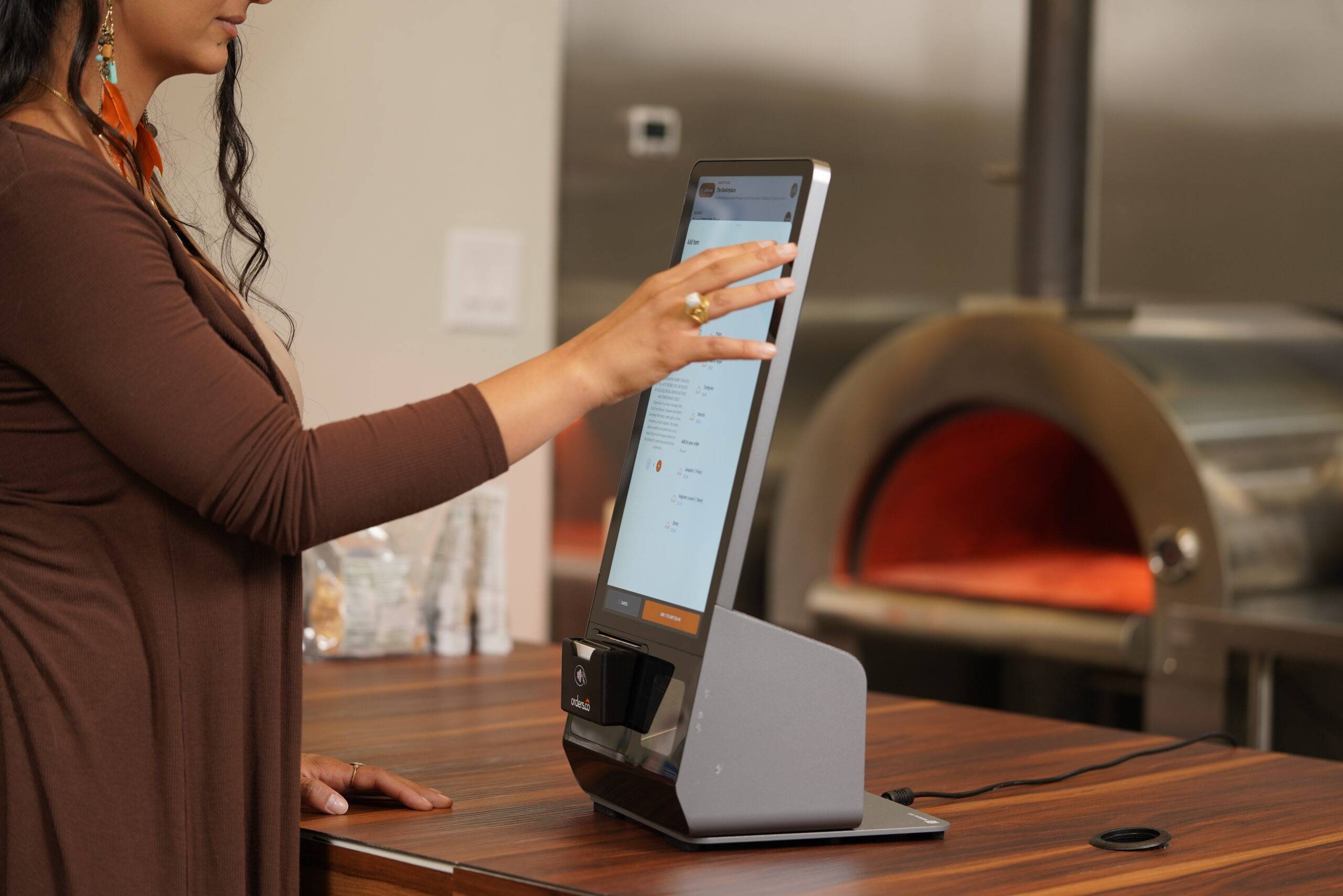
- Traditional Stations: Fixed countertop terminals are great for quick-service restaurants or a host stand. They are durable, feature large screens, and are easy for cashiers to use quickly.
- Handheld Tablets: For full-service environments, handhelds allow servers to take orders and process payments directly at the table. This drastically speeds up table turnover times, reduces order errors, and increases tip averages.
Mastering Online Ordering
To maximize revenue, you need an off-premise strategy. But what’s the difference between a POS and an online ordering system? A POS rings in orders and manages the in-house transactions. An online ordering system is the digital storefront (website or app) where customers browse your menu and pay remotely. Ideally, these two systems should speak to each other perfectly.
Figuring out how to set up online ordering for a new restaurant doesn’t have to be complicated. Start by choosing a POS that has native online ordering capabilities built-in, or select a specialized third-party online ordering platform that integrates seamlessly with your POS.
Your online ordering setup for new restaurants should include:
- High-quality photos of your dishes.
- Clear descriptions and modifier options (e.g., “No Onions,” “Dressing on the Side”).
- Accurate preparation time estimates.
Furthermore, streamlining third-party delivery service integrations (like UberEats, DoorDash, or Grubhub) is essential. Instead of having a counter cluttered with five different blinking tablets, use an integration software that funnels all third-party delivery orders directly into your main POS system.
Digital Displays
If you are opening a fast-casual or quick-service concept, a digital menu board software setup guide will save you hours of frustration. Digital menu boards allow you to change prices, remove sold-out items, and promote high-margin specials instantly without printing new signs. Ensure your digital signage software is cloud-based and connects smoothly to your Wi-Fi network.
Phase 4: Back of House (BOH) and Restaurant Management
Technology is not just for customer-facing transactions; it is the secret to a profitable, stress-free back-of-house.
Ditch the Paper Tickets
One of the most valuable additions to your pre-opening restaurant checklist technology is the Kitchen Display System implementation. A Kitchen Display System (KDS) replaces traditional paper ticket printers with durable digital screens. When a server enters an order, it instantly routes to the correct kitchen station. A KDS tracks ticket times, highlights delayed orders in red, and completely eliminates the risk of lost paper tickets.
Phase 5: Security and Audio/Visual Infrastructure
Your restaurant technology checklist wouldn’t be complete without protecting your physical assets and creating the right atmosphere.
Surveillance Systems
Protecting your staff, customers, and inventory requires configuring restaurant security camera systems. Position cameras over the cash registers, near all entrances/exits, in the liquor storage room, and in the kitchen. Opt for an IP (Internet Protocol) camera system that allows you to view live feeds remotely from your mobile device.
Audio and Atmosphere
Your sound system needs to be wired and tested before the drywall goes up, if possible. Ensure you are using a commercially licensed music streaming service to avoid hefty fines from music licensing organizations.
Phase 6: Budgeting and Assembling Your Tech Stack
If you are tackling building a restaurant tech stack from scratch, you need to know what it will cost and how to ensure the pieces fit together.
The Cost of Restaurant Technology
A burning question is always: How much does restaurant technology cost to set up? The answer varies wildly based on your concept, but as a rough estimate for a mid-sized, full-service restaurant working with Orders.co:
- POS Bundles: $499 – $999
- POS Software & Cloud Subscriptions: $69 – $199 / month
A LA Carte Hardware
- POS Tables and Stand: $350
- Ticket Printer: $350
- Cash Drawer: $60
- Tap & Pay Reader: $100
- Scanner: $50
Keeping It Simple for Beginners
If you are looking for first-time restaurant owner technology, prioritize systems that offer robust onboarding support. Finding restaurant tech for owners with no technical background is easier than ever. Look for vendors who provide “plug-and-play” hardware, 24/7 phone support, and comprehensive video tutorials. Don’t buy hyper-complex software if you only need basic functionality; you can always upgrade your software later.
How Orders.co Helps Small Restaurants Grow
Orders.co is built to help independent restaurants, cafes, and small multi-location groups turn online ordering into a reliable growth engine instead of a source of stress. The platform connects your direct ordering site, delivery apps, and in-house operations so you can manage menus, pricing, and promos from one place.
By consolidating orders from multiple channels into a single workflow, Orders.co reduces tablet chaos, missed tickets, and costly errors. You get clearer insight into which channels are most profitable, how much you are really paying in commissions, and where to nudge guests toward direct ordering so you can keep more of every sale.
For owners without a technical background, Orders.co provides hands-on onboarding, best-practice setup support, and easy-to-use tools that do not require an IT department. That way, you can launch with a modern, connected tech stack and spend more of your time where it matters most: on your food, your team, and your guests.
FAQ: Pre-Open Restaurant Tech Setup
At a minimum, you need a reliable internet connection, a modern POS system, payment processing, online ordering, and basic back-of-house tools for inventory, scheduling, and security. From there, you can add extras like digital menu boards, loyalty programs, and marketing tools as your business grows.
Start with your internet and network, then choose and install your POS, followed by front-of-house hardware, kitchen displays or printers, and online ordering. Once those foundations are in place, layer on management software, security cameras, and audio/visual systems.
Yes. Your POS should be fully installed, configured, and tested weeks before opening so you can build your menu, train staff, and run mock services. Waiting until the last minute almost always leads to delays, errors, and a stressful opening week.
You can, but it is not recommended. Running on handwritten tickets and a basic register makes it much harder to control costs, track sales, prevent theft, and provide fast, accurate service.
Most independent restaurants spend between $5,600 and $12,500 or more on initial tech setup, depending on concept, size, and equipment choices. Ongoing software subscriptions, payment processing, and support fees should also be built into your monthly budget.
A POS is the core system that records sales, manages checks, and runs your in-house operations, while an online ordering system is the customer-facing interface where guests place pickup or delivery orders. The two systems should integrate so online orders flow directly into your POS without manual re-entry.
Ideally, you should choose and configure your online ordering system during your pre-opening phase, alongside your POS. That way, you can start capturing pickup and delivery sales as soon as you open, instead of scrambling to add it later.
Most small to mid-sized restaurants should aim for at least 50–100 Mbps download and 20–30 Mbps upload, with higher speeds if you offer guest Wi-Fi, stream media, or run many cloud-based tools. A business connection with a failover option is the safest choice.
Choose cloud-based systems with strong onboarding, clear training materials, and 24/7 support. Start with only the tools you truly need for opening day, then add advanced features once your team is comfortable.
Orders.co centralizes your online ordering, connects your direct and third-party channels, and gives you clearer insight into which orders are actually profitable. With better control over menus, fees, and repeat customers, you can grow sales without adding unnecessary complexity to your day-to-day operations.
The Takeaway
Opening a new culinary venture is complex, but checking off the items on this restaurant equipment and technology checklist will give you peace of mind. By prioritizing a reliable network, choosing the right POS, integrating smart ordering systems, and utilizing backend management software, you are setting your business up for long-term profitability.
Don’t wait until the week before your grand opening to think about your digital infrastructure. Use The Pre-Open Tech Checklist: What to Set Up First When You’re Opening a Restaurant to build a modern, efficient, and reliable restaurant tech stack today. By handling the technology early, you can focus on what truly matters on opening night: delivering incredible food and unforgettable hospitality to your new guests.


