- How QR Code Ordering Works
- What Paper Menus Still Do Well
- The Benefits of QR Code Menus
- The Downsides of QR Ordering
- Pros and Cons of Paper Menus
- The Guest Experience: Digital vs. Paper
- What QR Ordering Means for Your Staff
- Cleanliness and Waste
- What Each Option Costs
- The Hybrid Option: Use Both
- How to Decide
- Tips for Rolling Out QR Ordering
- How Orders.co Helps With QR Menus
- Frequently Asked Questions
- The Takeaway
- More Helpful Reads
QR code ordering is becoming more and more common in restaurants. Guests scan a code at the table, see the menu on their phone, and often order and pay right there. Paper menus haven’t gone anywhere, though. Many diners still like holding a menu and talking to a server.
Neither option is right for every restaurant. QR menus can cut costs and speed up service, but some guests find them frustrating. Paper menus feel familiar, but they’re expensive to reprint and hard to keep current. This article walks through the pros and cons of each so you can decide what fits your restaurant.
How QR Code Ordering Works
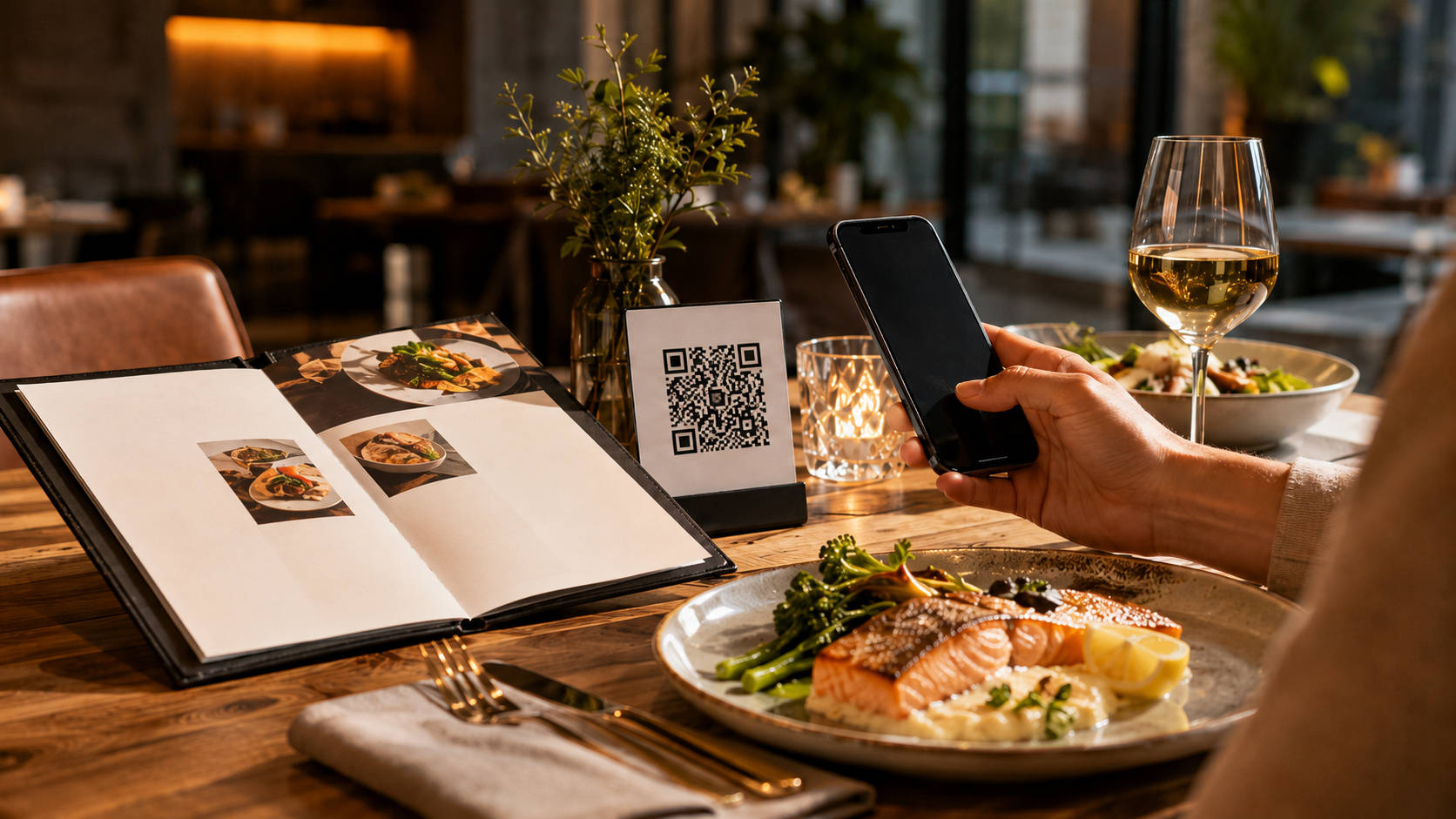
QR ordering is simple for the guest:
- They scan a code on the table with their phone
- The menu opens on their screen
- They place their order through a webpage or app
Because guests use their own phones, there’s no shared menu to pass around. That appeals to people who care about cleanliness.
QR menus are also easy to change. You can update a price or remove a sold-out dish in seconds — something paper menus can’t do.
Many QR systems connect to your POS, so orders go straight to the kitchen. That can mean faster service and tables turning over sooner.
The main downside: not everyone is comfortable with them. Some guests, especially older ones, would rather not order through a phone.
Want to see how a digital menu would work for your restaurant? Schedule a free demo today.
What Paper Menus Still Do Well
Paper menus have lasted this long for a reason. Guests know how to use them, and many enjoy holding one and flipping through it.
A well-designed menu also shows off your brand. Good photos, nice paper, and a thoughtful layout all add to the feel of your restaurant.
Paper menus keep servers in the conversation, too. Guests can ask questions and get recommendations, which many people see as part of a good meal out.
The drawbacks are practical. Menus need regular wiping down, and every price change or new dish means a reprint — which costs money and takes time.
What paper menus offer:
- A physical menu guests can hold
- Strong visual branding
- Natural back-and-forth with servers
For plenty of guests, the menu is part of the ritual of eating out. That still counts for something.
The Benefits of QR Code Menus
QR menus solve some real problems for restaurant owners.
Instant updates. Change prices, add specials, or mark items sold out in real time. No reprinting.
Fewer touchpoints. Guests use their own phones, so there’s nothing shared to sanitize between tables.
POS integration. Orders and payments flow through your existing system, which cuts down on errors and speeds things up.
Less paper waste. No stacks of old menus in the trash every time something changes.
Useful data. Digital menus can show you what guests look at and order most, which helps with marketing and menu decisions.
In short: QR menus save time, save money on printing, and give you information paper never could.
The Downsides of QR Ordering
QR systems aren’t free of problems.
Upfront cost. You’ll need to pay for the software and spend time training staff.
Not everyone likes them. Some guests struggle with the tech or simply prefer ordering from a person.
They need internet. If your Wi-Fi or cell coverage is weak, the whole system stumbles — and guests get annoyed.
Less personal. Ordering through a phone removes some of the human contact that makes dining out enjoyable.
Tech hiccups. Codes that won’t scan or pages that load slowly can lose you orders.
The lesson: QR ordering works best when it’s paired with good service, not used to replace it.
Pros and Cons of Paper Menus
Pros:
- Familiar and easy for everyone — no phone or tech skills needed
- A physical object guests enjoy handling
- A branding tool that sets the tone of your restaurant
Cons:
- Reprinting costs add up, especially if your menu changes often
- Menus need constant cleaning
- Prices and items can go out of date fast
Paper menus still work. They just come with recurring costs and upkeep that digital menus don’t.
The Guest Experience: Digital vs. Paper
The menu is the first thing most guests interact with, so the format matters.
Digital menus let guests browse right away — no waiting for a server to drop one off. They can also show extra details like ingredients and allergen info, which helps people order with confidence.
Paper menus offer something different: the feel of the object, and a reason to talk to your server. For some guests, that conversation is the best part of the experience.
Quick comparison:
- Digital: fast, always up to date, room for extra detail
- Paper: hands-on, personal, on-brand
Know your regulars. The right format is the one your guests actually enjoy using.
What QR Ordering Means for Your Staff
QR ordering changes how your team spends its time. When guests order from their phones, servers spend less time writing down orders and more time checking in, answering questions, and keeping the meal moving.
Faster ordering also means tables turn over quicker, which can add up to more covers per night.
The catch is training. Your team needs to know the system well enough to help guests who get stuck. If a code won’t scan, a server should be able to fix it on the spot.
What changes:
- Faster table turnover
- Less time taking orders by hand
- More time for actual hospitality
- Some training required up front
Cleanliness and Waste
Since the pandemic, guests notice cleanliness more than they used to. QR menus help because nothing gets passed from table to table — each guest uses their own phone.
That also means less sanitizing work for staff, and far less paper heading to the trash. Every menu update on paper means old copies get tossed; digital updates waste nothing.
Real-time updates help in the kitchen, too. Marking a dish sold out immediately means fewer awkward moments at the table and less food ordered that can’t be made.
What Each Option Costs
QR ordering has a real startup cost: the software, possibly some hardware, and staff training time.
But after setup, it’s cheap to run. Every menu change is free. Paper menus flip that around — cheap to start, but every update means another print bill.
QR menus can also lift sales. Digital menus are good at suggesting add-ons and showing off popular items, which can raise the average check.
The math to run for your restaurant:
- Setup and training costs for QR
- What you currently spend on printing each year
- Potential sales lift from digital upselling
- Whether your internet is reliable enough to depend on
Think in terms of the first year, not just the first month.
The Hybrid Option: Use Both
You don’t have to pick one. Many restaurants put QR codes on every table and keep a small stack of printed menus for guests who want them.
This covers everyone. Tech-comfortable guests get speed and convenience. Guests who’d rather hold a menu still get that. And you still capture most of the savings and efficiency of going digital.
Why hybrid works:
- Every guest gets a format they’re comfortable with
- You keep the cost savings of digital as your main system
- Printing a handful of backup menus costs very little
For most restaurants, this is the safest way to modernize without alienating anyone.
How to Decide
There’s no universal answer — it comes down to your restaurant. Ask yourself:
- Who are my guests? A college-town fast-casual spot and a classic steakhouse have very different crowds.
- What’s my concept? Some dining rooms suit phones on the table; some don’t.
- What’s my goal? If speed and efficiency matter most, digital wins. If atmosphere and personal service define you, paper may fit better.
- What’s my budget? Weigh the one-time setup cost of QR against the ongoing cost of printing.
Match the menu format to your guests and your brand, and you’ll make the right call.
Tips for Rolling Out QR Ordering
If you decide to try QR ordering, a few things make the launch smoother:
- Keep the digital menu simple. Clear categories, readable text, fast loading.
- Prepare your staff. They should be able to walk any guest through scanning and ordering.
- Check your internet. A QR system is only as good as your connection.
Get these right and most guests will adjust quickly.
How Orders.co Helps With QR Menus
Orders.co’s Restaurant QR Menu Maker is built for independent restaurants that want a digital menu without a big technology project. You upload your items, organize them into categories, and generate table-ready QR codes — and every change you make afterward goes live instantly, with no reprinting.
You’re not left to figure it out alone, either. Orders.co offers 24/7 customer support, so if a code won’t scan during a Friday dinner rush or you need help updating your menu, there’s a real person to call.
The QR menu is also part of a bigger picture. Orders.co works with small and midsize restaurants across the US to help them grow — with direct online ordering websites, order consolidation, and tools that turn first-time guests into regulars. A QR menu is often the simplest place to start.
Frequently Asked Questions
Yes. Guests use their own phones to view the menu and often to order and pay, so there are fewer shared surfaces — even when staff still deliver the food.
No. They take over routine tasks like handing out menus and running cards, so servers can spend more time on hospitality and recommendations.
Keep a backup — a few printed menus or a tablet works. A hybrid setup protects the guest experience while keeping the benefits of digital.
Usually not. Most digital menus open in a web browser. If a system requires an app, expect fewer first-time guests to use it.
They can be, if designed well. Use readable fonts, strong contrast, clear categories, and pages that load fast on any phone.
You can change prices, add specials, and mark items sold out in real time — so guests never order something the kitchen can’t make.
It can be. Use a reputable provider, make sure payments run over a secure connection, limit staff account access, and replace any damaged or tampered table codes quickly.
Often, yes. Digital menus are good at showing add-ons and popular items, which tends to raise the average check. Faster ordering helps too.
Use a QR menu builder that lets you upload items, organize categories, and generate table-ready codes in minutes. A simple starting point is Orders.co’s Restaurant QR Menu Maker.
For many restaurants, both: QR codes for speed and easy updates, plus a small set of printed menus for guests who prefer them. The right mix depends on your guests and your style of service.
The Takeaway
QR ordering wins on speed, easy updates, and lower ongoing costs — but it can frustrate guests who aren’t comfortable with the tech. Paper menus win on familiarity and personal service — but they cost more to maintain and can’t keep up with a changing menu.
That’s why many restaurants land on both: QR as the main system, paper as the backup. Whatever you choose, pick the option your guests will actually enjoy using. That’s what works.